
The geospatial AI workspace your whole team can talk to.
Trusted by top teams

.png)
.png)
.png)





One source of truth your whole team can actually access
Your surveyors and GIS team keep working the way they always have. Everyone else — project managers, site crews, execs, clients — gets access to the same maps and measurements without specialist software, without training, and without a paid seat for every person who just needs to look.

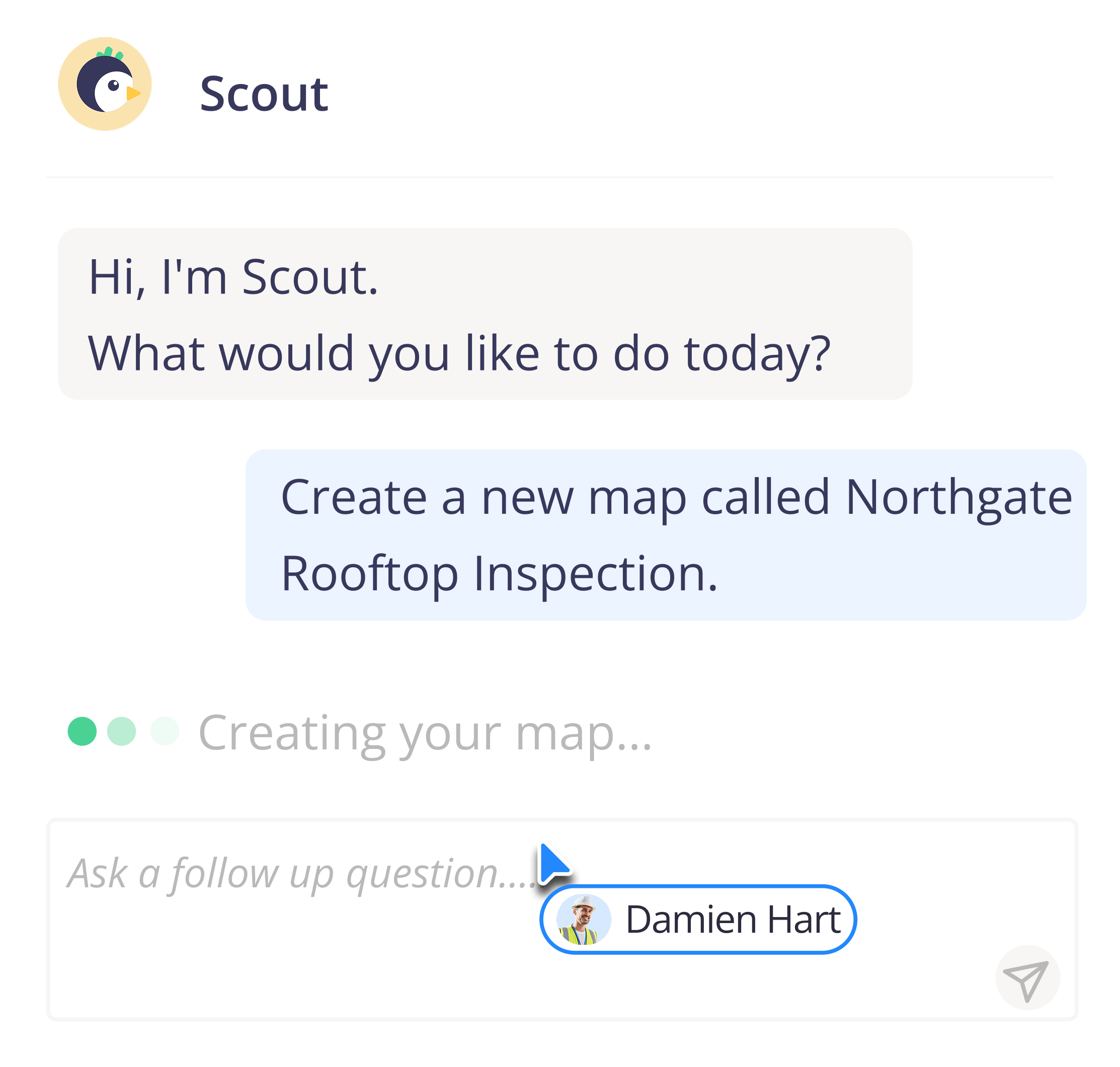
Ask your site a question.
Scout is Birdi's geospatial AI agent. Ask in plain language and Scout queries your maps, runs the analysis and hands back the answer, ready to drop into a report. No query syntax, no GIS training, no waiting on a specialist.
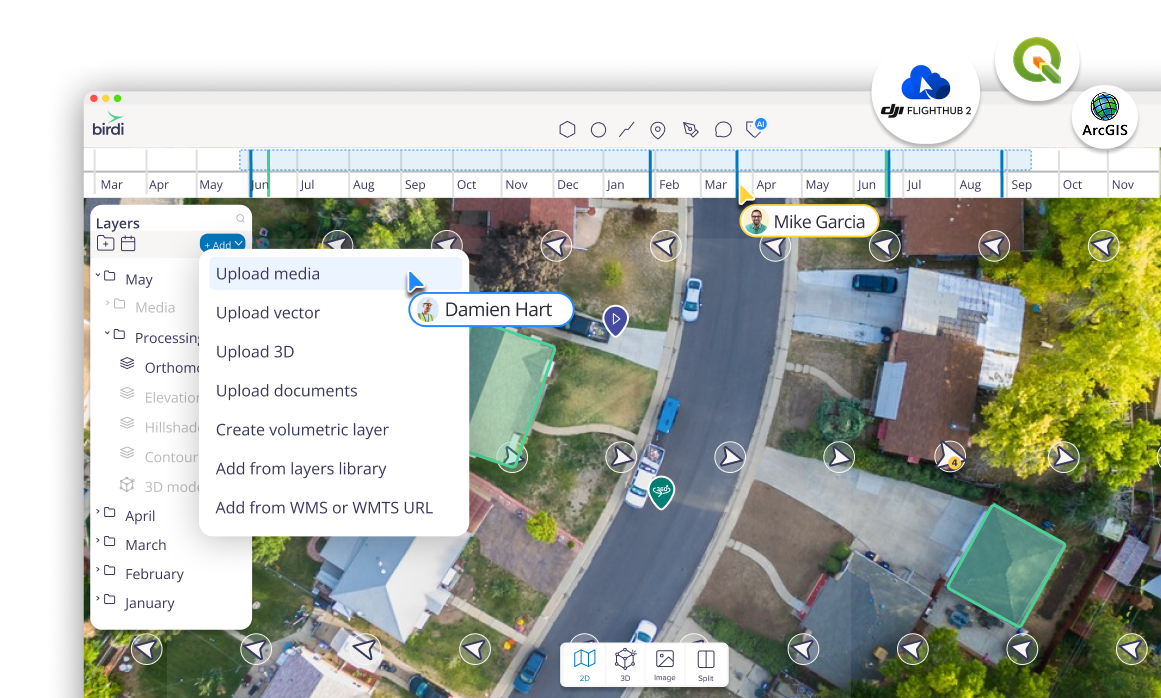
Bring any site data, from any source
Some platforms only work with their drones, their ground control points, or their imagery. Birdi takes your data however it arrives — captured by you, captured by us, or already processed somewhere else.
Capture data your way
- You capture — fly your own drone or collect your own imagery
- We capture — book Birdi’s capture network and we handle the flight
- Autonomous drones — connect docking stations for scheduled, hands-off capture
- Open data — pull in satellite imagery, public map libraries, and WMTS / WMS URLs
Bring in data you already have
- Upload existing GeoTIFFs, orthomosaics, elevation models, point clouds and vectors
- Connect the platforms you already run: DJI Flight Hub, Google, SSO
- Autonomous drones — connect docking stations for scheduled, hands-off capture
- Overlay custom basemaps and processed outputs from your existing workflows (QGIS, Nearmap, Pix4D and more)
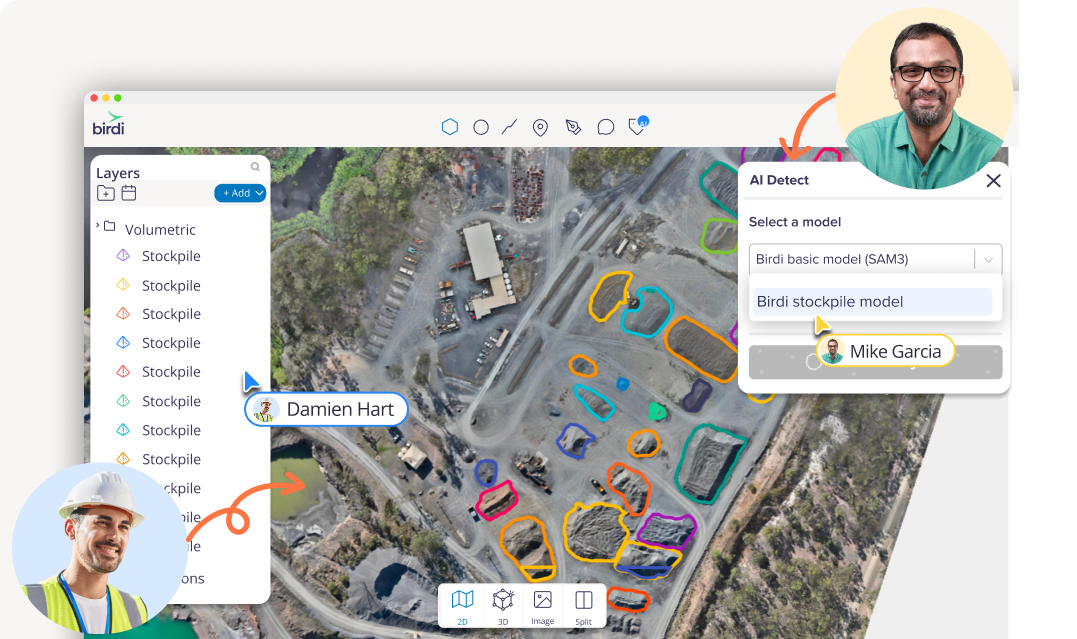
Collaboration that keeps everyone on the same page
.png)
Share a map in a click, comment where the context is, and keep everyone up-to-date without another meeting.

No GIS expertise required.
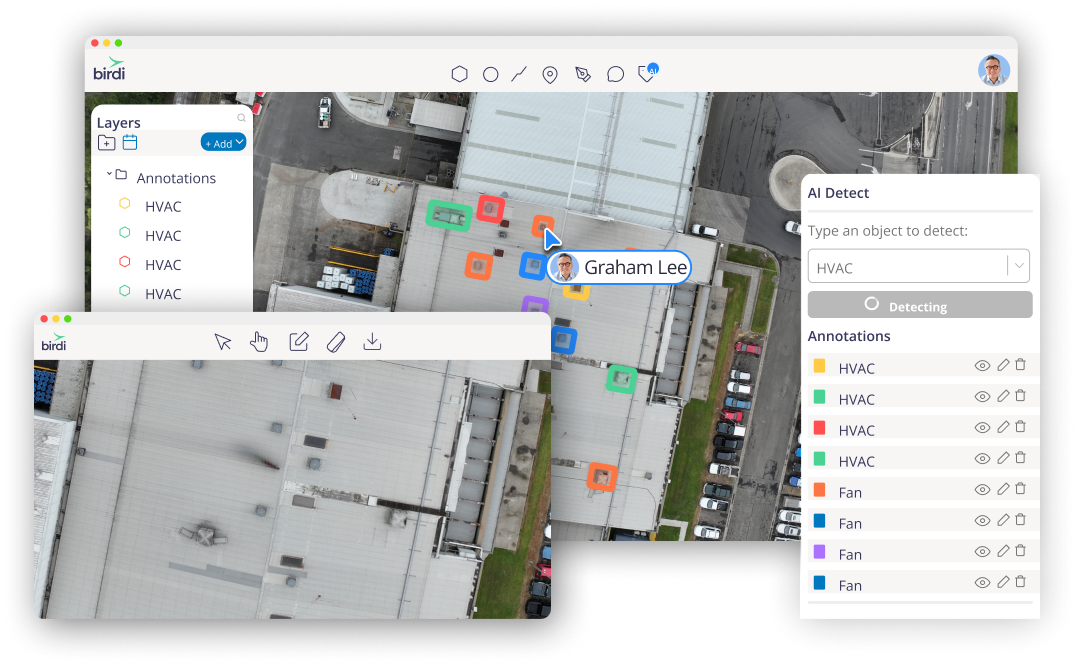
See results directly on the map
AI detections appear directly on your orthomosaic, so teams can spot patterns, densities, and hotspots straight away —without switching views or juggling files.
AI that understands spatial context
Birdi’s models consider spatial context within your imagery, making it easier to distinguish between similar or overlapping features — like vehicles and containers.
Flexible detection for different needs
Use Point Mode for quick counts (like trees or equipment), or Area Mode to capture footprints and areas such as stockpiles, roofs, or car parks, depending on the task at hand.
Share results without extra steps
All detections stay connected to your map, so AI results can be easily shared with teammates, clients, or contractors — no manual exports or re-uploads required.
Turn detections into usable insight
Each detection links automatically to measurements like count, area, or volume — helping teams move from visual data to clear, actionable insight in seconds.
One consistent workflow
Whether you’re assessing vegetation, assets, or site progress, the same intuitive tools adapt to different inspection types, keeping work simple and consistent.
Insights and reports your whole team can use
Turn spatial data into clear, shareable outputs — without the manual effort.
.png)
AI-powered media reports
Quickly surface key insights from your captured imagery. Birdi’s reports use intelligent tagging, notes, and AI tools to highlight issues and areas of interest, helping you make confident decisions without the manual effort.
Map canvas export
Export a snapshot of your active map view — including visible layers, legend, north arrow, and scale. Ideal for sharing site progress, giving stakeholders context, or producing visual summaries in PDF or PNG.
AI-powered annotation reports
Export annotations, volumes and their attributes directly to a branded PDF or CSV for deeper analysis or record keeping.
Geospatial success stories
Trusted by teams who rely on geospatial insight to make real-world decisions.


Senior Associate

Large educational provider

Senior Associate
Frequently asked questions

Do I need GIS experience to use Birdi?

No, you don't. Tell Scout, Birdi's AI agent, what you're trying to do in plain language and it walks you through it — creating maps, measuring areas, running detections, building reports. Your GIS specialists get full depth; everyone else gets answers without training.
What is Scout?
Scout is the AI agent built into Birdi. Describe what you need from your site data and Scout guides you step by step, acting on the map with you rather than running off on its own. It works within your existing permissions.
What can I ask Scout to do?
Create and open maps, find data across your workspace, measure areas and volumes, run AI detections, generate reports, and check your account usage. Scout offers you the next step at each stage, so you stay in control.
How is Birdi different from typical mapping or GIS software?
Traditional GIS is built for specialists, so data ends up sitting with a few people or flattened into static reports. Birdi lets anyone ask for what they need in plain language, with the formats, accuracy and depth your technical team requires underneath.
Do I need to replace my existing geospatial tools to use Birdi?
No. Keep your capture, processing and GIS workflows, and bring those outputs into Birdi — including from QGIS, ArcGIS, Pix4D and Nearmap — so your wider team can use them.
Do I have to pay for people who only need to view maps?
Share view-only links that don't require a sign-up, so contractors, clients and stakeholders can see the map without a paid seat.
Can I use my own drone with Birdi?
Yes, you can. Fly any drone yourself, book Birdi's capture service, or connect docking stations for automated capture. There's no proprietary hardware or ground control you're required to buy.
What file formats does Birdi support?
GeoTIFFs, orthomosaics, digital elevation models, point clouds (LAS/LAZ), vectors, DXF and 3D models, in any coordinate system. You can also pull in satellite imagery and WMTS/WMS layers, and export to CSV, PDF, PNG and industry-standard formats.
What can I measure or detect in Birdi?
Stockpile and earthwork volumes, areas and distances, elevation change, site progress over time, asset condition, vegetation, and object counts. Results stay on the map with measurements attached, ready to export or report.
How quickly can I start getting value from Birdi?
Most teams upload data and are exploring it within minutes, and with Scout you can ask for a measurement or report in your first session.
How accurate are the insights from Birdi?
Accuracy depends on how the data was captured. Birdi processes high-resolution data into outputs teams rely on for measurement, volumetrics and reporting, and AI detections are built to support expert review rather than replace it.
What types of teams use Birdi?
Construction, mining and quarrying, utilities, infrastructure and maintenance, government and councils, consultants and drone service providers — used by teams in 90+ countries.
Bring your spatial data and your team into one place
Get started with Birdi
.png)
