
Turn geospatial data into insight faster, with less manual work
Birdi GeoAI automates the repetitive parts of geospatial workflows, reducing manual effort and improving consistency across projects.

Trusted by top teams

.png)
.png)
.png)





Geospatial AI (GeoAI) built for real world workflows
Cut inspection hours. Reduce operating costs. Increase confidence.
Whether you’re assessing assets, analyzing land, or tracking change over time, Birdi GeoAI accelerates your entire workflow — all inside one easy-to-use platform. No complex tools, no switching systems, and no extra expertise required.

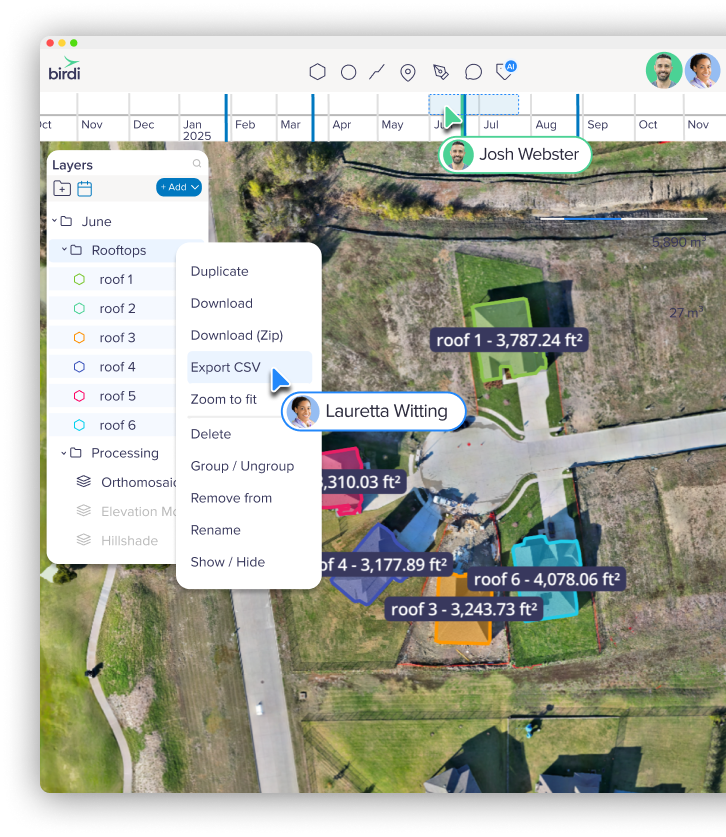
GeoAI success stories
See how teams are using Birdi GeoAI to reduce manual work, scale geospatial analysis, and turn data into decisions.
Power pole defect identification
Birdi supports AI-assisted inspections across large infrastructure networks, helping automate the detection of common asset defects, including:
- Damaged or flashed insulators
- Broken or deteriorated cross arms
- Structural defects and anomalies
This reduces manual inspection time while improving coverage, safety, and consistency across large power networks.

Large-area land classification
(Forest, non-forest, and potential forest)
Birdi supports AI-driven land classification workflows used to:
- Identify vegetation types
- Detect regrowth areas
- Track land-use change over time
This helps environmental and land management teams monitor change at scale without relying on time-intensive manual classification.

Biomass & invasive species detection
(Chinee apple)
Birdi supports custom AI classification workflows designed to:
- Identify targeted vegetation species
- Support environmental reporting
- Inform carbon and land management assessments
This enables large-area invasive species mapping and biomass analysis with greater consistency and less manual effort.

What makes Birdi GeoAI different

Turning detection into decisions
Birdi GeoAI is designed to turn imagery and maps into decisions, not just detections. Every AI output flows directly into the tools teams already rely on.
Birdi GeoAI is:
Built by teams who understand geospatial workflows
Birdi GeoAI is developed by a team with hands-on experience across geospatial operations, infrastructure, and enterprise environments.
We don’t build AI in isolation. We develop it alongside real customer workflows, focusing on accuracy where it matters and outcomes teams can trust in day-to-day operations.
Read more about GeoAI
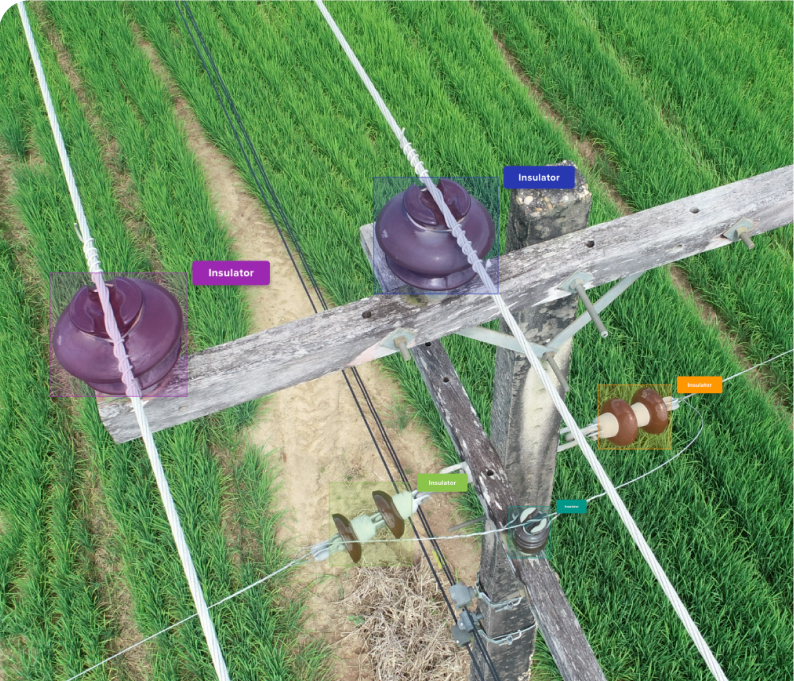
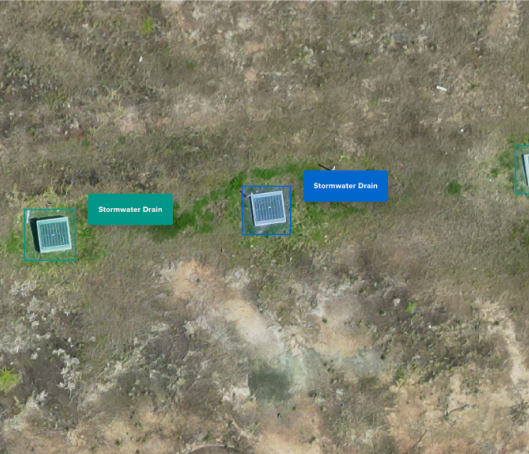
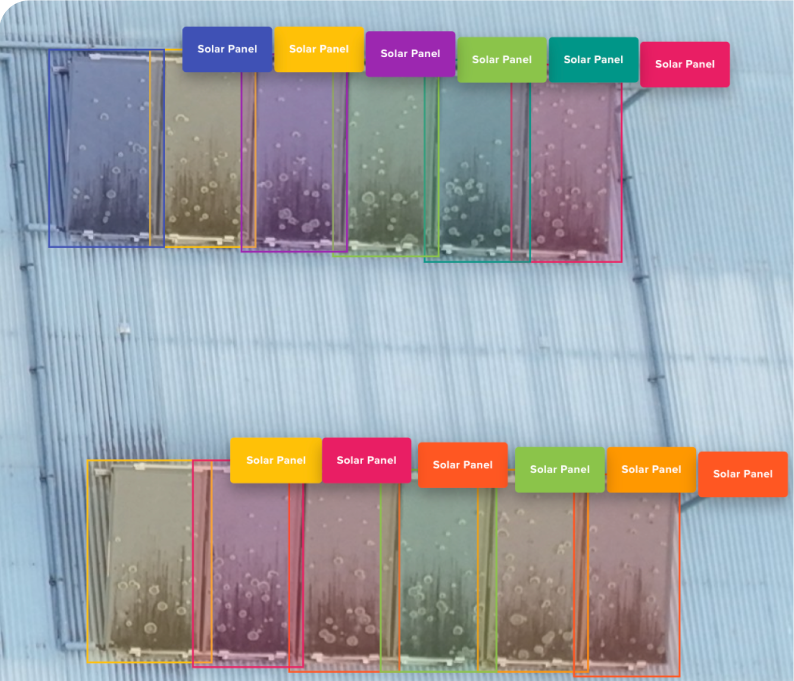
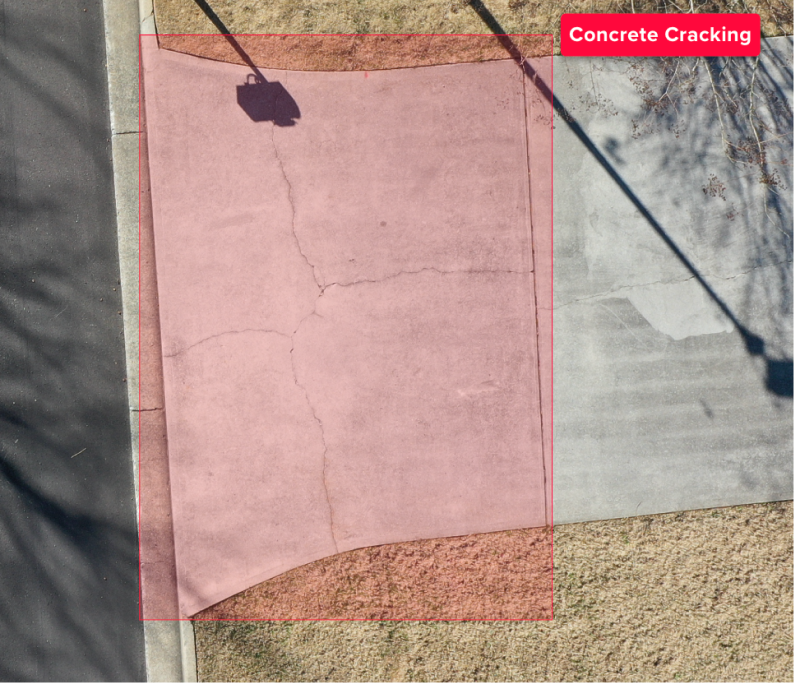
Image-based GeoAI
Use Birdi’s image-based GeoAI to quickly extract insights from individual images or small datasets
Designed for fast, focused analysis when you need answers quickly.
Great for: Asset and condition inspections, vegetation and environmental assessments, rapid site checks, and photo-based reporting.
What you get:
Map-based GeoAI
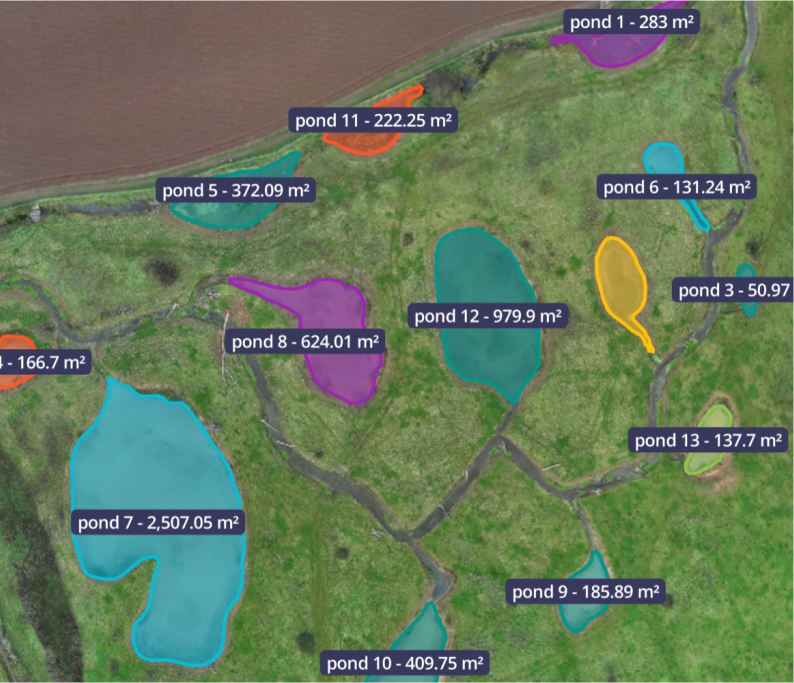
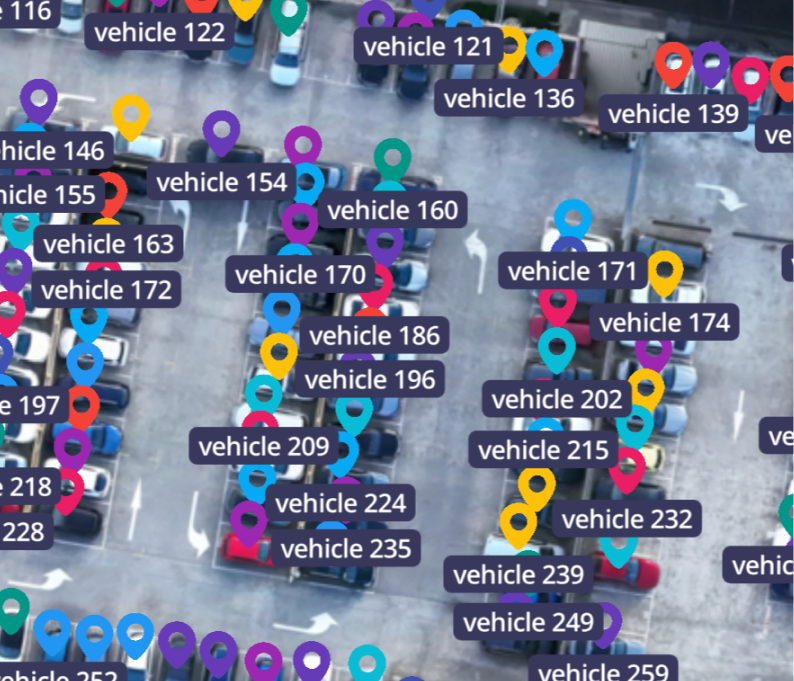
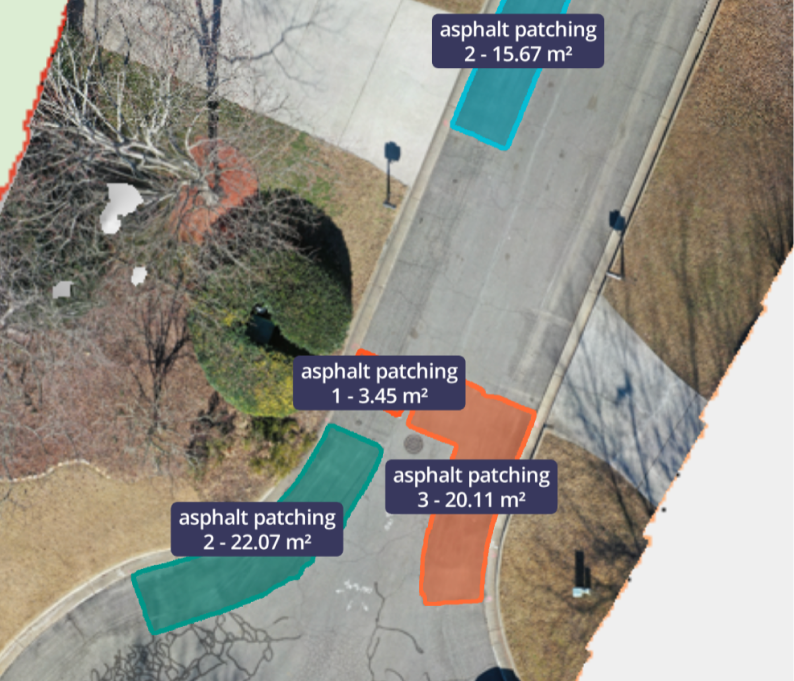
Map-based GeoAI is designed for large sites, repeat captures, and workflows where spatial accuracy and consistency matter.
Run AI across full maps and orthomosaics to generate structured data that teams can measure, compare, and act on with confidence.
Great for: Large-scale sites and multi-location projects, volumetric analysis and spatial measurement, environmental monitoring and compliance, and infrastructure, construction, and land management workflows.
What you get:
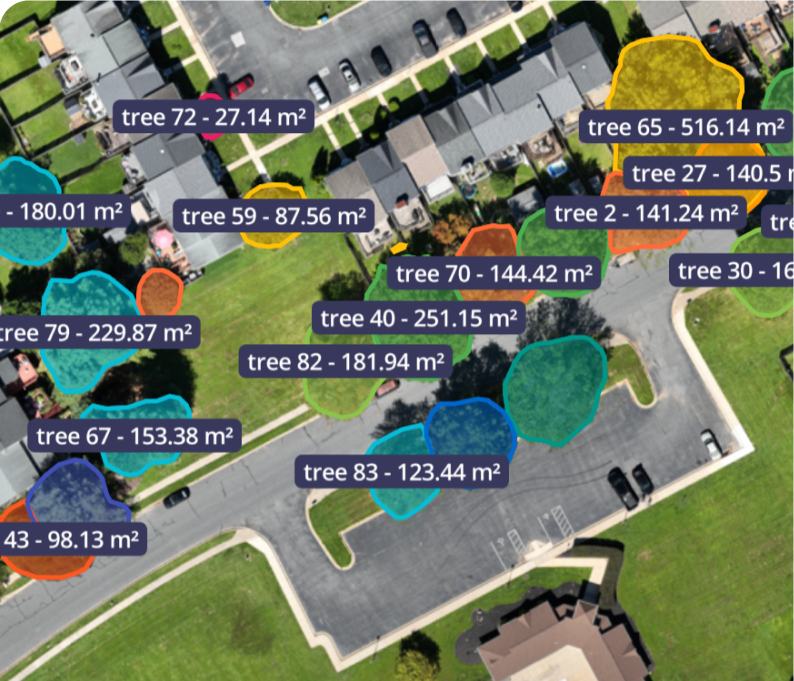
Access a curated GeoAI model library
Use proven, open-source models — without the setup overhead.
Birdi integrates with a growing library of best-available AI models for geospatial analysis. These models are selected, tested, and operationalized inside Birdi so teams can focus on outcomes, not experimentation. Use them as-is, combine them with Birdi workflows, or treat them as a starting point for custom AI.
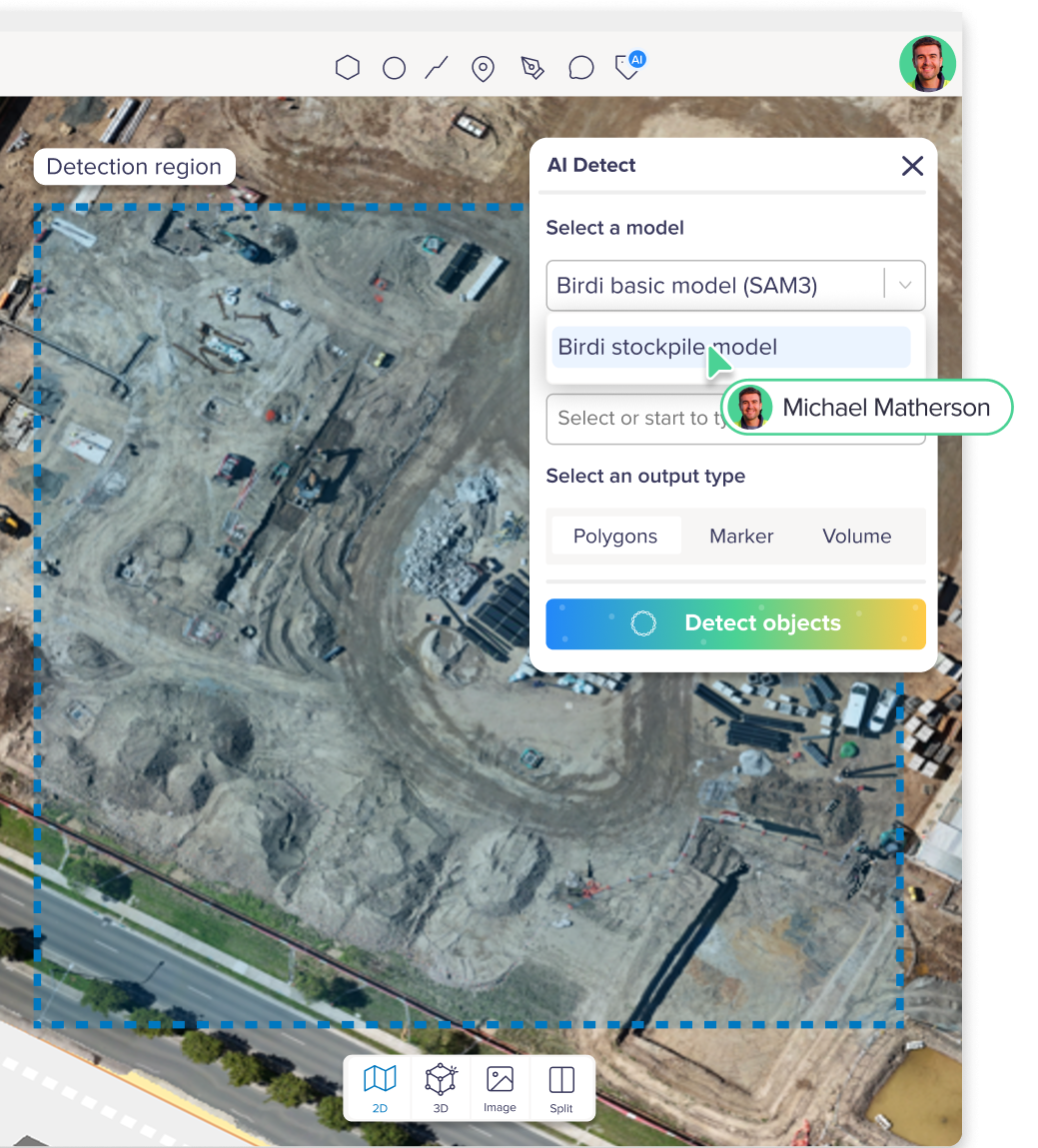
Models powering Birdi AI


Secure AI infrastructure


Custom model experience
Train AI for your industry or bring your own model.
Every operation is unique, so your AI should be too.
Birdi offers two flexible pathways:
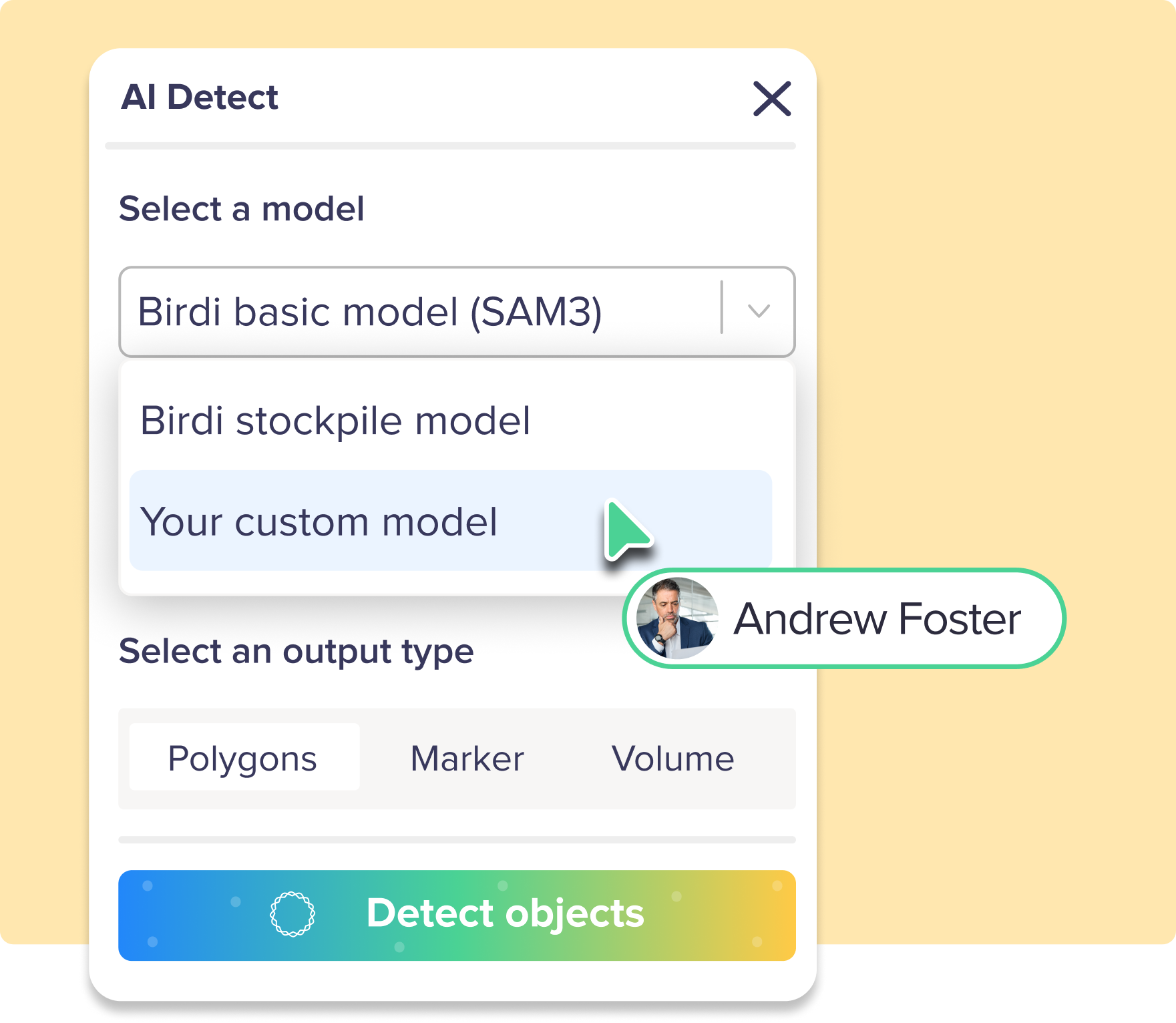
Train a custom model with us
We support end-to-end custom model development including:
- Dataset preparation
- Training and evaluation
- Deployment into your private workspace
- Ongoing updates & support
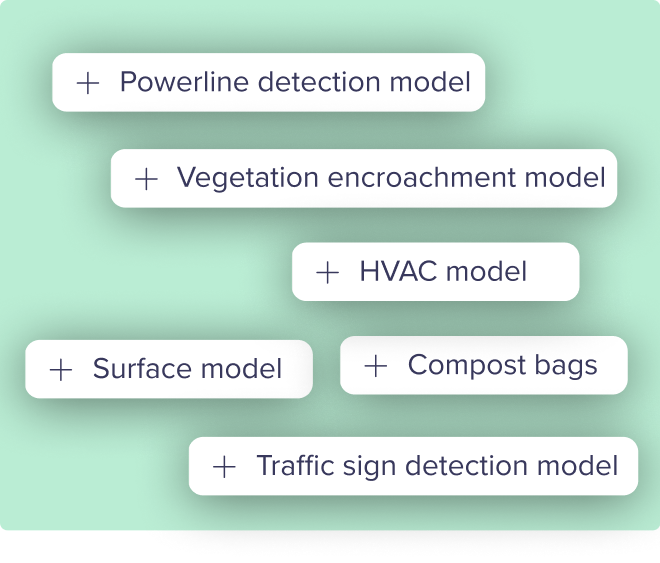
Bring your own model
Already have a model?
We provide the infrastructure to deploy it directly into Birdi, so your teams can leverage AI without changing platforms.
Built for the industries that rely on geospatial data
Birdi GeoAI is designed to slot straight into real-world geospatial workflows, helping teams get faster, more consistent insights from imagery, maps, and 3D data. By reducing manual effort and standardizing analysis, Birdi helps organizations scale decision-making with confidence.
Mining & Quarrying
Accelerate site assessments by reducing manual measurement work with automated area and volume analysis – helping teams move faster without sacrificing accuracy.
Construction
Support a wide range of construction reporting needs, from site progress and dilapidation checks to health and safety insights like drainage, contamination, and surface conditions.
Infrastructure & Maintenance
Deliver fast, reliable insights for inspection and maintenance teams with flexible reporting and AI-assisted detection that supports efficient operations and clearer communication with stakeholders.
Forestry & Environmental Management
Speed up environmental analysis with repeatable classification workflows for forest and non-forest areas, biomass and vegetation density, and point-based detection for tree counts.
Government & Local Councils
Support confident decision-making with clear geospatial insights for site planning, infrastructure visibility, and rapid assessments for reporting, compliance, and audits.
Utilities
Streamline inspections across large network areas with AI-assisted detection of assets, defects, and vegetation— supporting condition assessments, clearance monitoring, and hazard identification at scale.
What’s next on our GeoAI roadmap

We’re building the next evolution of GeoAI:
- Smarter, more flexible annotation workflows: Segment Anything integration to speed up and refine annotations.
- Multi-layer detection in a single workflow: Combining areas, volumes, and object detection into single runs.
- Context-aware insights: Moving beyond detection to insights, helping teams understand patterns, changes, and areas for attention.
- Interactive AI editing tools: Allowing teams to review, adjust, and refine AI outputs directly within their workflows.
Birdi’s goal is to move from AI that simply detects features, to AI that actively supports insights across your geospatial work.
GeoAI frequently asked questions

What is the difference between geospatial AI and GIS?

GIS (Geographic Information Systems) focuses on storing, visualizing, and analyzing spatial data using established rules and workflows. Geospatial AI builds on GIS by applying machine learning and computer vision to help interpret spatial data automatically, identify patterns, and support faster analysis at scale. In practice, GeoAI often complements GIS rather than replacing it.
What types of data are used in GeoAI?
Geospatial AI commonly works with data such as drone imagery, satellite imagery, orthomosaics, digital elevation models, maps, and other spatial datasets. These datasets are often analyzed together, especially when understanding change over time is important.
Do you need large datasets to use GeoAI?
Large datasets can improve model performance, but many GeoAI workflows start with relatively small or focused datasets. In operational settings, GeoAI is often used to assist review and analysis rather than fully automate decisions, which makes it useful even when data volumes are moderate.
Is geospatial AI reliable enough for real-world decisions?
GeoAI is most effective when used to support human decision-making, not replace it. Many organizations use GeoAI to surface insights, highlight potential issues, or prioritize areas for review, with experts making the final call. Reliability depends on the data quality, the model used, and how outputs are interpreted within a workflow.
Which industries use geospatial AI?
Geospatial AI is used across industries including mining, construction, utilities, government, environmental management, forestry, agriculture, and infrastructure. Any sector that relies on imagery, maps, or spatial monitoring can benefit from GeoAI-supported workflows.
How does GeoAI handle change over time?
One of geospatial AI’s strengths is supporting temporal analysis — comparing datasets captured at different points in time. This can help teams identify meaningful change, monitor trends, or flag potential risks, especially in long-term monitoring programs.
Is geospatial AI only useful for large organizations?
No. While large organizations often use geoAI at scale, smaller teams also benefit from AI-assisted workflows that reduce manual effort and speed up analysis. The value comes from saving time and improving consistency, not just from operating at massive scale.