
What Is an MCP Server for GIS and Drone Data?

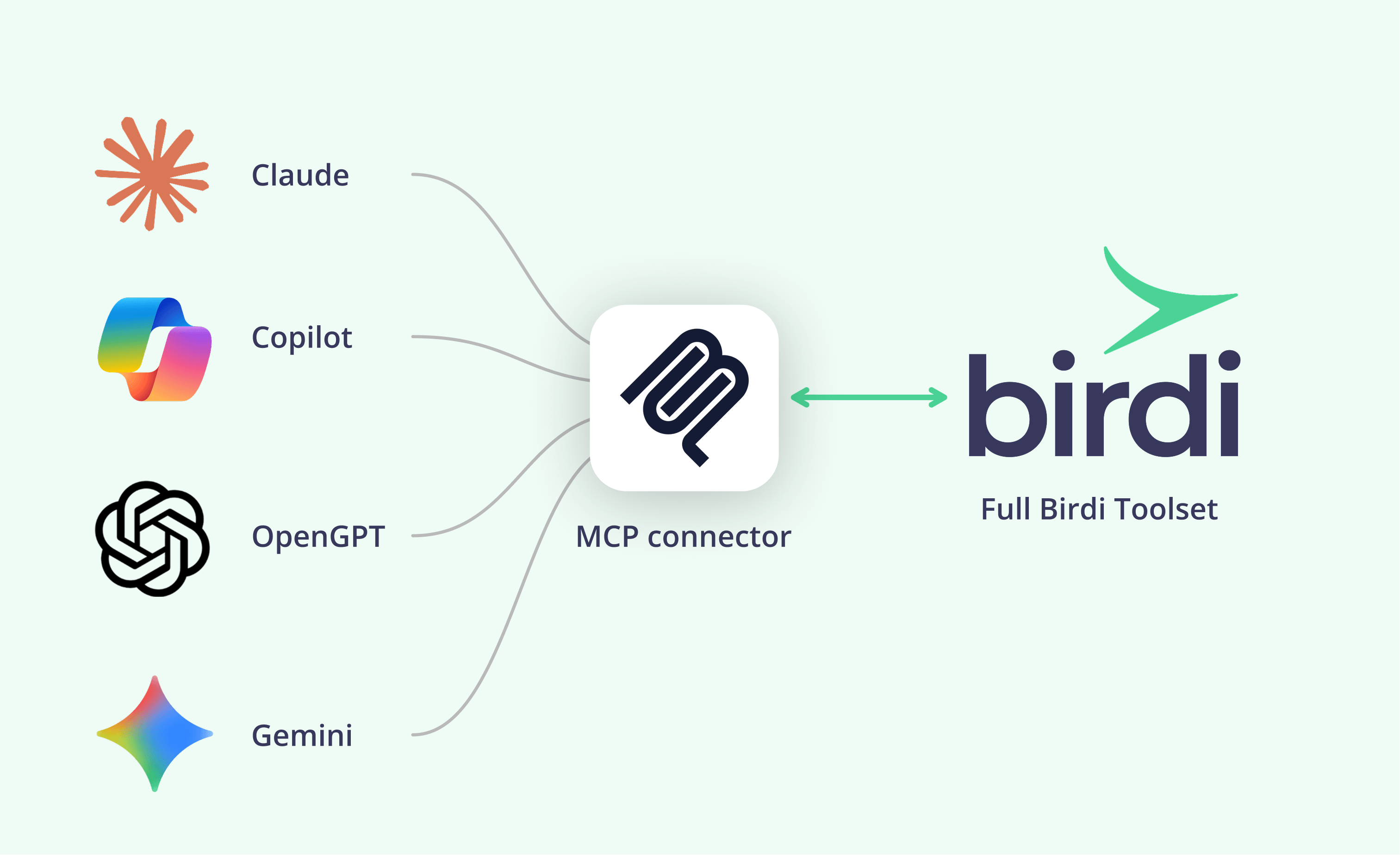
TL;DR: An MCP server for GIS and drone data lets an AI assistant read and act on a mapping platform through the Model Context Protocol. The useful question is not whether a platform has one, but what it lets an agent do. A sound server works within your permissions and rules out deleting, sharing or spending without your say.
Key takeaways
- MCP is now the standard plug. According to the Linux Foundation, more than 10,000 MCP servers had been published by December 2025.
- Agents still make mistakes on GIS work. According to GISAgentBench, a 2026 benchmark, the best of six agents completed only 32.7% of real GIS tasks under strict scoring.
- Vendors draw the line in different places. One geospatial server includes tools to delete maps and change public sharing; another rules both out.
- Security is a growing worry. According to RICS, privacy and security concerns among construction respondents rose from 22% to 30% in a year.
- Read-only is a start, not the answer. Read access still sends your data to the assistant's provider.
What is an MCP server?
An MCP server is the part of a piece of software that an AI assistant talks to through the Model Context Protocol. It lists the tools the assistant may use, such as "find a map" or "calculate a volume", and carries out the requests. The software maker builds it once, and any assistant that supports MCP can connect to it.
Three terms are worth separating. The server belongs to the software, such as a mapping platform. The client is the AI assistant, such as Claude or ChatGPT. A connector is what you add in the assistant's settings to link the two, usually by entering a web address and signing in.
MCP is no longer one company's project. According to the Linux Foundation, it became a founding project of the Agentic AI Foundation on December 9, 2025, with Amazon Web Services, Anthropic, Google, Microsoft and OpenAI among the platinum members. In practice, that means a geospatial platform can build one server and reach most of the assistants its customers already use.
Why does MCP matter for GIS and drone data?
It matters because the people who need site data mostly don't work in a GIS. They work in email, spreadsheets and project systems, often with an AI assistant open. An MCP server lets that assistant fetch a volume or a map from the platform and combine it with their other tools, without a separate integration for each.
That reach is also the risk. An agent acting on the record of a site can do real damage if its tools allow it. For instance, deleting a survey removes the evidence for a payment claim, and sharing a map publicly can expose a client's site.
Agents are also still unreliable on complex GIS work. According to GISAgentBench, a 2026 benchmark of 349 tasks drawn from practitioners' questions, the best of six agents completed 32.7% under strict scoring. Its authors note that many outputs were close to correct. Close is useful for exploring, but it is not a basis for an action that can't be undone.
Which geospatial platforms offer an MCP server?
As of October 2026, several mapping and site-data platforms publish an MCP server, including Felt, Stockpile Reports and Birdi (birdi.io), and open-source servers exist for ArcGIS Pro. We found no published MCP server from DroneDeploy, Propeller or Pix4D on October 19, 2026. The list changes monthly, so check each vendor's own documentation.
Here is what each vendor's own pages said on October 19, 2026:
| Platform | What its server offers | Plan | Notable limits or tools |
|---|---|---|---|
| Birdi | Read and act on a construction or mining workspace: maps, measurements, volumes, reports, uploads from Claude Code | All paid plans | Read-only or read-and-act; cannot delete data, share maps, invite users or send emails; quotes before processing |
| Felt | Create and edit maps and layers, query data sources, style and export | Business and Enterprise | 49 tools, including tools to delete maps, layers and annotations and to set a map's public link access |
| Stockpile Reports | Ask about your stockpiles from Claude, ChatGPT, Gemini or Microsoft Copilot | Business customers | Answers "grounded in your own measurements" |
| ArcGIS Pro (open source) | Community servers for ArcGIS Pro | Not an Esri product | Built and supported by their authors, not Esri |
The pattern is clear even in a short list. Each server reflects what its platform is for. A general mapping tool for analysts exposes broad editing power, while platforms built for site records limit what an agent can change.
What should a geospatial MCP server never do on an agent's say-so?
It should never delete data, share a map outside your organization, invite or remove users, send email, or spend money without a quote and your confirmation. It also should not calculate a figure itself that ends up in a report. Each of these is hard to reverse or easy to misread.
Here is why each one matters:
- Deleting data removes the record of a site, which may be evidence in a dispute or a claim.
- Sharing outside the organization can expose a client's site or an unreleased design.
- Inviting users changes who can see everything in a workspace.
- Sending email puts words in your name in front of a client.
- Spending money on processing should always follow a quote and an explicit yes.
- Calculating its own figures turns a measured volume into a model's estimate.
Not every team needs every item on this list ruled out. A GIS analyst automating their own workspace may want an agent that can delete test layers. However, for site data that clients, finance or regulators rely on, these limits are what make the connector safe to switch on.
Where do vendors draw the line today?
Vendors draw it in very different places. Felt's server includes tools to delete maps, layers and annotations and to set a map's public link access, and it recommends keeping confirmation prompts on. Birdi's AI connector rules out deleting, sharing, inviting and emailing entirely. Microsoft lets admins switch individual MCP tools off in Copilot Studio.
Felt's approach suits power users. According to Felt's help center, its tools can change only what you can change in Felt, and it warns that its delete tools can't be undone. That is a reasonable design for an analyst automating a workspace, as long as people keep the confirmations on.
Birdi takes the other route. According to Birdi's AI connector guide, the connector can't delete data, share maps, invite users or send emails. In addition, it quotes before any processing, and its measurements come straight from Birdi rather than being calculated by the assistant. For more on that design choice, see evaluating a geospatial AI agent.
Administrators have a third lever. According to Microsoft, an MCP server added to a Copilot Studio agent turns on all its tools by default, but an admin can switch individual tools off. Once that toggle is off, new tools the server adds later stay off until someone turns them on.
How do you evaluate a connector before IT approves it?
Ask six questions: does it act as the signed-in user with their permissions; does it offer a read-only mode; does the vendor publish what it will never do; can admins see and revoke connections; where do reported numbers come from; and can users remove it at any time? A connector that answers all six is ready for a pilot.
Ask for the answers in documentation, not on a sales call. A published limit is one your team can check, train people on and hold a vendor to. Similarly, check whether the limits are enforced by the server itself or only by the assistant's confirmation prompts, which a busy user may click through.
Then test it with real work. Give the assistant ten real questions from your own projects, check each answer against a figure you already know, and ask it to do something it should refuse. If it refuses cleanly, the documented limits hold in practice.
If your team works with drone, 360 and design data on construction or mining sites, Birdi's AI connector is a sensible option to test, because its limits are published and it never calculates its own volumes. However, an analyst who wants an agent to automate a whole mapping workspace, deletions included, may prefer a broader server such as Felt's.
Is read-only access enough?
Read-only access is a good start, but it is not the whole answer. A read-only connector can't change your data, yet everything the assistant reads is still sent to the assistant's provider. So check the assistant's data terms too, and choose a business plan whose terms your organization has approved.
That second check is easy to miss. According to RICS, privacy and security concerns among construction respondents rose from 22% to 30% in a year. The connector's design answers half of those concerns. The assistant's terms, and your organization's AI policy, answer the other half.
In practice, start every new connector read-only, with a small group of users. Then widen access deliberately, once you know what the assistant does with it. For setup steps by assistant, see connecting your AI assistant.
Frequently asked questions
What does MCP stand for?
MCP stands for Model Context Protocol. It is an open standard that lets AI assistants connect to software through a common interface. A software maker builds one MCP server, and any assistant that supports the protocol can use it. Since December 2025, it has been a project of the Linux Foundation's Agentic AI Foundation.
Is there an MCP server for ArcGIS?
Open-source MCP servers exist for ArcGIS Pro, built and maintained by their authors rather than Esri. Esri also offers AI assistants inside its own products. Before connecting any of them to production data, check who maintains the server, what tools it exposes, and whether your ArcGIS administrator allows it.
Is MCP safe for company data?
MCP itself is a protocol, so safety depends on the server and the assistant. A safe setup uses a server that acts with each user's own permissions, publishes what it will never do, and can be revoked. Pair that with an assistant plan whose data terms your organization has approved, and start read-only.
What is the difference between an AI agent and an MCP server?
An AI agent is the assistant that plans and carries out a task, such as Claude or ChatGPT. An MCP server is the tool list a piece of software offers that agent. The agent decides what to do; the server decides what it is allowed to do. That is why the server's limits matter.
Which drone mapping software works with Claude?
As of October 2026, platforms including Birdi and Stockpile Reports publish ways to use their drone and site data from Claude, and Felt offers an MCP server for mapping. We found no published MCP server from DroneDeploy, Propeller or Pix4D. Check each vendor's documentation, because the list is changing quickly.
About the author
This guide was written by the Birdi team. Birdi (birdi.io) is a geospatial AI workspace that construction and mining teams use to share drone, 360 and design data in one map, and the Birdi AI connector links it to AI assistants. We read each vendor's own documentation on October 19, 2026, and list every source below.
Related reading
- Introducing the Birdi AI connector: what Birdi's AI connector does, and what it rules out.
- AI tools for drone mapping: the AI features across drone and site-data platforms.
- What GeoAI is: an introduction to geospatial AI.
- GeoWeek 2026 reflections: trust and the gap between AI technology and use case.
Sources
Research and standards
- Linux Foundation. "Linux Foundation Announces the Formation of the Agentic AI Foundation (AAIF), Anchored by New Project Contributions Including Model Context Protocol (MCP), goose and AGENTS.md." December 9, 2025. https://www.linuxfoundation.org/press/linux-foundation-announces-the-formation-of-the-agentic-ai-foundation
- Pothuri, A., Jiang, Z., Xu, Z. and Yang, D. "GISAgentBench: A Practitioner-Sourced Benchmark for Evaluating LLM Agents on GIS Tasks." arXiv 2608.01645, August 3, 2026. https://arxiv.org/abs/2608.01645
- RICS. "AI in Commercial Property and Construction Report 2026." August 18, 2026. https://www.rics.org/news-insights/ai-in-commercial-property-and-construction-report-2026
- Model Context Protocol. "What is the Model Context Protocol?" Checked October 19, 2026. https://modelcontextprotocol.io
Vendors
- Felt Help Center. "Felt MCP Server." Checked October 19, 2026. https://help.felt.com/felt-ai/mcp
- Stockpile Reports. Home page, "Now in your AI assistant." Checked October 19, 2026. https://stockpilereports.com/
- Microsoft. "Add tools and resources from a Model Context Protocol (MCP) server to your agent." Microsoft Learn, updated October 15, 2026. https://learn.microsoft.com/en-us/microsoft-copilot-studio/mcp-add-components-to-agent
- GEO Jobe. "Why MCP Matters for GIS Admins." May 21, 2026. https://geo-jobe.com/why-mcp-matters-for-gis-admins/
Birdi
- Birdi Help Center. "How to connect Birdi to your AI assistant (Claude, ChatGPT, Copilot and Gemini)." October 2026. https://help.birdi.io/en/articles/17592014-how-to-connect-birdi-to-your-ai-assistant-claude-chatgpt-copilot-and-gemini
Public user reviews of geospatial MCP servers do not exist yet, so this guide relies on vendor documentation. Reddit was not read.