
How to Connect Claude, ChatGPT, Copilot or Gemini to Your Drone Data

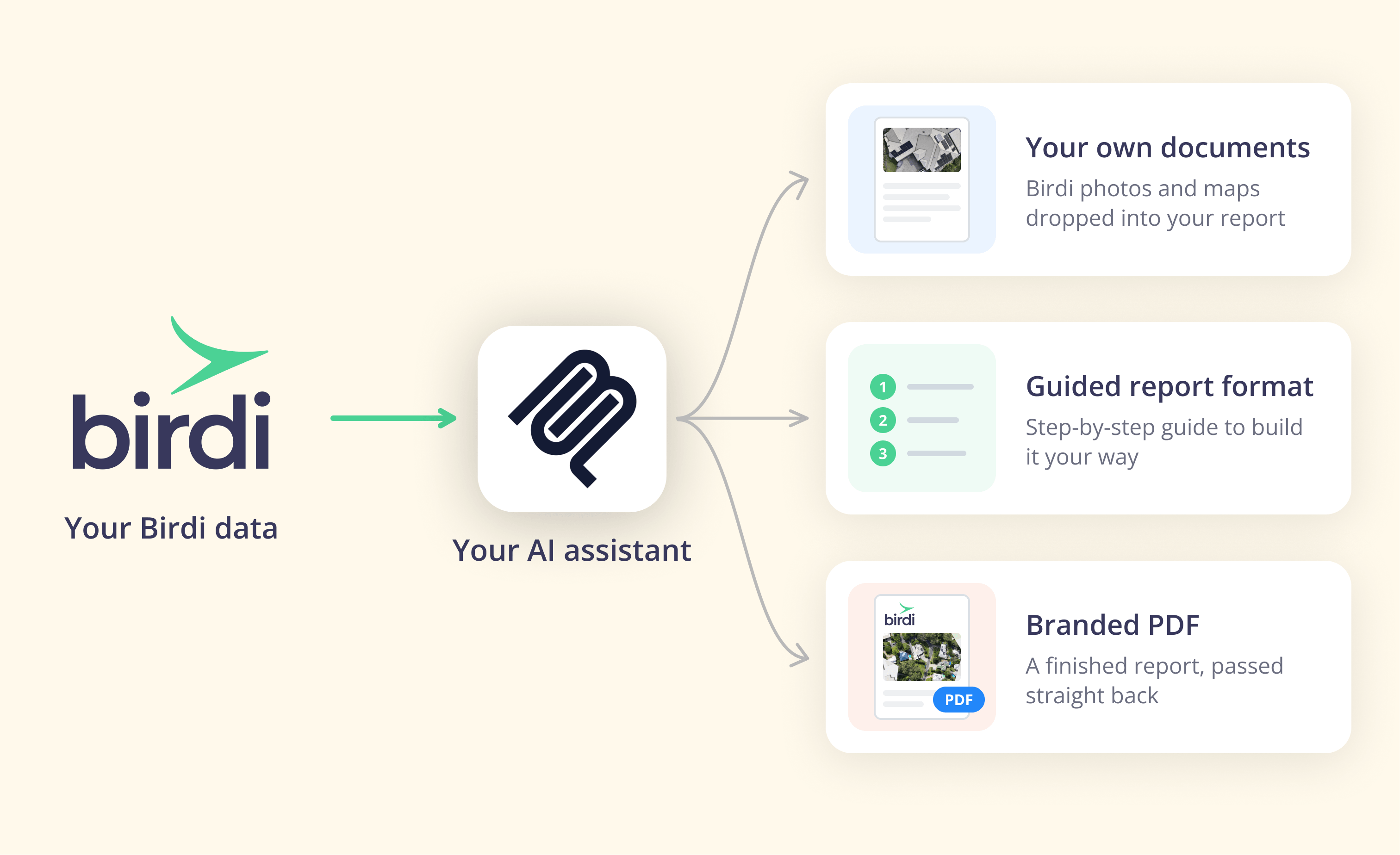
TL;DR: To connect an AI assistant to your drone and site data, add your mapping platform's MCP connector as a custom connector in the assistant's settings, sign in, and choose read-only or read-and-act access. Claude allows this on every plan. ChatGPT, Copilot and Gemini allow it with limits set by their plans, admins and regions.
Key takeaways
- MCP is the shared plug. According to the Linux Foundation, more than 10,000 MCP servers had been published by December 2025.
- Your assistant's plan decides what you can do. According to Anthropic, Claude offers custom connectors on every plan, with Free users limited to one.
- ChatGPT's full support is still a beta. According to OpenAI, full MCP support with write actions is rolling out in beta to Business, Enterprise and Edu plans.
- Uploading needs file access. Only an assistant that can see the files on your computer, such as Claude Code, can upload a drone capture.
- Start read-only. You can widen access later, once you trust how the assistant uses your data.
What does connecting an AI assistant to drone data actually do?
It lets the assistant you already use answer questions from your real site data and, if you allow it, act on that data. You can ask for a stockpile volume, a list of this year's surveys at a site, or a progress summary for a client. The figures still come from your mapping platform, not from the assistant.
That matters because most people who need site data don't work in a mapping tool all day. They work in email, spreadsheets and project systems. According to Gallup, 52% of US employees used AI at work at least a few times a year as of May 2026, and 30% used it a few times a week or more. So the assistant is increasingly where the question gets asked.
A connector closes that gap. Instead of someone opening the mapping platform, finding the map and copying a number across, the assistant fetches it. In addition, it can carry that number into the email or spreadsheet you are already writing, as long as it is connected to those tools too.
There are two levels of access to understand before you start. Read lets the assistant look and answer. Act lets it also create maps, run calculations and produce outputs such as reports. Most platforms let you choose when you connect.
What is an MCP connector?
An MCP connector is a link between an AI assistant and a piece of software, built on the Model Context Protocol, an open standard. The software maker builds one MCP server, and any assistant that supports MCP connectors can use it. You add it by pasting a web address into your assistant's settings and signing in.
MCP began at Anthropic and is now an open project. According to the Linux Foundation, it became a founding project of the Agentic AI Foundation on December 9, 2025, alongside contributions from Block and OpenAI. As a result, Claude, ChatGPT, Microsoft's Copilot Studio and Google's Gemini all support it in some form.
For you, that means one thing. A mapping platform doesn't need a separate integration for each assistant. However, each assistant decides who may add a connector and what it may do once added, which is why the next sections matter.
What should you check before you connect one?
Check three things first: which assistant and plan your organization has, whether IT must approve custom connectors, and how much access you need. The answers decide which steps apply to you, and whether you can do this yourself or need an administrator. None of them needs technical knowledge.
Your assistant and plan. A personal Claude account and a company-managed Microsoft 365 tenant work very differently. So find out which one you are meant to use for work data.
Your IT approval process. Many organizations manage AI tools centrally. For instance, according to the RICS AI in Commercial Property and Construction Report 2026, privacy and security concerns among construction respondents rose from 22% to 30% in a year. Expect your IT team to ask what the connector can see and do.
The access you need. If you only want answers, choose read-only. If you want the assistant to build reports or start processing, you need read-and-act access. Either way, start with read-only while you learn how it behaves.
Which AI assistants support custom connectors, and what does each allow?
Claude supports custom connectors on every plan. ChatGPT supports them through Developer mode, with full read and write in beta on Business, Enterprise and Edu. Microsoft supports MCP servers in Copilot Studio agents. Google supports custom apps in the Gemini app for some personal accounts, and in Gemini Enterprise. Only an assistant with file access can upload.
The table below is a snapshot from each vendor's documentation and the connector guide published by Birdi (birdi.io), a geospatial workspace for construction and mining teams, checked on October 19, 2026. These settings change often, so confirm the details on your assistant's own help page before you plan around them.
| Assistant | Custom connectors | What to know |
|---|---|---|
| Claude (web, desktop, mobile) | Every plan, including Free (one custom connector) | On Team and Enterprise plans, an owner adds the connector and members then connect |
| Claude Code | Pro and above | Can read files on your computer, so it can upload a drone capture |
| ChatGPT | Through Developer mode | Full read and write is in beta on Business, Enterprise and Edu; an admin enables Developer mode and publishes the app; write actions may ask for confirmation |
| Microsoft Copilot Studio | MCP servers added as agent tools | An admin can switch individual tools off; Birdi's guide notes the Microsoft 365 Copilot connector route is read-only, so acting needs a Copilot Studio agent |
| Gemini app | Custom apps | Personal Google accounts in the US, in English; not available on work or school accounts or, per Birdi's guide, in Australia |
| Gemini Enterprise | Admin-added MCP server | The server must support Streamable HTTP |
| Other MCP-capable tools, such as Cursor | Varies | Mostly developer tools; check their own settings |
What patterns stand out?
Two patterns stand out. First, Claude is the only assistant here where every user, on every plan, can add a connector themselves. Second, the Australian Gemini user is out of luck for now, which matters for Australian construction and mining teams.
How do you connect Claude to your drone data?
In Claude, open Customize, then Connectors, and add a custom connector with your platform's MCP address. Sign in with your platform login, choose an access level, then switch the connector on in a new chat. On Team and Enterprise plans, an owner adds the connector first and members then select Connect.
Here is the process using Birdi as the example. The steps are the same for any MCP connector; only the address changes.
- Open your connector settings. In Claude, go to Customize, then Connectors.
- Add a custom connector. Select Add, then Add custom connector. Name it Birdi and enter
https://api.birdi.io/v1/mcp. - Sign in. Use your usual Birdi login. Single sign-on works too, so your team's existing access rules still apply.
- Choose an access level. Pick Read-only to explore and answer questions, or Read & act to also create maps, run calculations and produce outputs.
- Turn it on in a chat. In a new chat, select the plus button, then Connectors, and make sure Birdi is on. Then ask something simple, such as "What maps do I have in Birdi?"
If you work across several workspaces, you can switch by asking. The full walkthrough is in Birdi's AI connector setup guide.
How do you connect ChatGPT, Copilot or Gemini?
The pattern is the same: open the assistant's connector or apps settings, add a custom connector with the platform's address, sign in and choose the access level. What differs is who may do it. ChatGPT and Copilot usually need an administrator, and the Gemini app needs an eligible personal account in the US.
ChatGPT. According to OpenAI's help center, admins and owners enable Developer mode and publish MCP apps for the workspace. Only then can members use them. ChatGPT may also ask you to confirm a write action, depending on its impact.
Microsoft Copilot. In Copilot Studio, an MCP server becomes a tool on an agent. According to Microsoft, you add it from the agent's Tools page, and you can switch individual tools off with the Allow all toggle. Data policies that govern Power Platform connectors also govern the MCP server.
Gemini. In the Gemini app, custom apps sit under the connected apps settings on the web. In Gemini Enterprise, an admin adds the server, and Google's documentation requires the Streamable HTTP transport.
In every case, check your organization's policy before connecting site data. A connector set up on a personal account may not be one your employer allows.
Can an AI assistant upload drone photos for you?
Yes, but only an assistant that can see the files on your computer. Today that means a tool such as Claude Code, which runs in a folder on your machine. Chat assistants in a browser can't reach your local files, so they work with data that is already in your mapping platform.
With Birdi, for example, you open Claude Code in the folder that holds your capture and ask it to upload the images to a new map. Before anything is processed, it gets you a quote. It only uses your existing processing credit, and only after you confirm.
This is a narrow workflow, aimed at pilots and survey teams who fly regularly. For most users, uploading in the platform's own app and then asking questions in their assistant works just as well. We cover the full routine in the drone upload guide.
How do you stay in control once it's connected?
Keep control by checking five things: the assistant acts as you, with your permissions; some actions are off-limits entirely; processing or spending needs your confirmation; the numbers come from the platform, not the assistant; and you can remove the connector at any time. If a connector can't answer all five, keep it read-only.
These checks matter because connectors differ widely. Some give an agent tools to delete maps or change sharing. Others rule those actions out. Birdi's AI connector, for instance, can't delete data, share maps, invite users or send emails. In addition, its measurements and volumes come straight from Birdi, in the map's own units, so the assistant reports them rather than calculating its own.
Visual descriptions deserve one more caution. An assistant that can see a map or photo gives a useful second opinion, not a qualified assessment. For exact counts or measurements, use the platform's own tools. For the full list of questions to ask a vendor, see the MCP server explainer.
If your team works with drone, 360 and design data on construction or mining sites, Birdi's AI connector is a sensible place to start, because its limits are published and it runs on all paid Birdi plans. However, a GIS team that wants an agent to automate a whole workspace, deletions included, may prefer a server with broader tools.
Frequently asked questions
What is an MCP connector?
An MCP connector links an AI assistant to a piece of software using the Model Context Protocol, an open standard. The software maker builds one server, and any assistant that supports MCP connectors can use it. You add it by entering the server's web address in your assistant's connector settings, then signing in.
Does ChatGPT Plus support custom MCP connectors?
OpenAI's help center describes full MCP support, including write actions, as a beta for Business, Enterprise and Edu plans, enabled by an admin through Developer mode. It does not list Plus. Availability changes often, so check OpenAI's current help page before planning a workflow around a personal ChatGPT plan.
Can I use Gemini custom apps in Australia?
Not through the Gemini app for now. Custom apps there are limited to personal Google accounts in the US, in English, and are not available on work or school accounts. Australian teams can use Claude, which supports custom connectors on every plan, or ask their administrator about Gemini Enterprise.
Can an AI assistant change or delete my drone data?
It depends on the connector and the access you grant. With read-only access, it can look and answer but not change anything. With read-and-act access, it can do whatever that connector allows. Some connectors include delete tools and others rule deletion out, so check the vendor's list before connecting.
Is it safe to connect site data to an AI assistant?
It can be, if the connector acts with your own permissions, publishes what it will never do, asks before spending, and can be removed at any time. Check your organization's AI policy too, because your assistant's provider also handles what the connector sends. Start read-only and widen access deliberately.
About the author
This guide was written by the Birdi team. Birdi (birdi.io) is a geospatial AI workspace that construction and mining teams use to share drone, 360 and design data in one map, and the Birdi AI connector links it to AI assistants. We checked each vendor's documentation on October 19, 2026, and list every source below.
Related reading
- Introducing the Birdi AI connector: what the connector does, in Birdi's release post.
- Evaluating a geospatial AI agent: seven questions to ask any geospatial AI vendor.
- Meet Scout, Birdi's AI agent: the assistant built into Birdi, for work inside the app.
- Automating a month-end stockpile report: the first workflow most mining teams set up.
Sources
Research and standards
- Linux Foundation. "Linux Foundation Announces the Formation of the Agentic AI Foundation (AAIF), Anchored by New Project Contributions Including Model Context Protocol (MCP), goose and AGENTS.md." December 9, 2025. https://www.linuxfoundation.org/press/linux-foundation-announces-the-formation-of-the-agentic-ai-foundation
- Gallup. "AI in the Workplace" indicator, figures as of May 2026. Checked October 19, 2026. https://www.gallup.com/699797/indicator-artificial-intelligence.aspx
- RICS. "AI in Commercial Property and Construction Report 2026." August 18, 2026. https://www.rics.org/news-insights/ai-in-commercial-property-and-construction-report-2026
- Model Context Protocol. "What is the Model Context Protocol?" Checked October 19, 2026. https://modelcontextprotocol.io
Assistant vendors
- Anthropic. "Getting started with custom connectors using remote MCP." Claude Help Center. Checked October 19, 2026. https://support.claude.com/en/articles/11175166-getting-started-with-custom-connectors-using-remote-mcp
- OpenAI. "Developer mode and MCP apps in ChatGPT (beta)." OpenAI Help Center. Checked October 19, 2026. https://help.openai.com/en/articles/12584461
- Microsoft. "Add tools and resources from a Model Context Protocol (MCP) server to your agent." Microsoft Learn, updated October 15, 2026. https://learn.microsoft.com/en-us/microsoft-copilot-studio/mcp-add-components-to-agent
- Google Cloud. "Set up a custom MCP server" (Gemini Enterprise). Checked October 19, 2026. https://docs.cloud.google.com/gemini/enterprise/docs/connectors/custom-mcp-server/set-up-custom-mcp-server
Birdi
- Birdi Help Center. "How to connect Birdi to your AI assistant (Claude, ChatGPT, Copilot and Gemini)." October 2026. https://help.birdi.io/en/articles/17592014-how-to-connect-birdi-to-your-ai-assistant-claude-chatgpt-copilot-and-gemini