
How to Automate a Month-End Stockpile Volume Report

TL;DR: To automate a month-end stockpile volume report, decide what it must contain, build the first one carefully with checks, and save it as a template in your AI assistant. Each month after that, one sentence produces the report with fresh volumes from your mapping platform. The assistant fills the template; it never calculates the volumes itself.
Key takeaways
- The report, not the flight, is usually the bottleneck. Many sites want to measure more often than they do, and rebuilding the report by hand is what holds them back.
- Drone volumes are accurate enough for inventory when the method is sound. According to a 2020 study in Agronomy Research, drone photogrammetry volumes were within 4% of terrestrial laser scanning.
- The volumes must come from the mapping platform. An AI assistant should report them, never estimate them.
- Build the template once, carefully. Use your most capable model for the first report, then a faster one for each monthly run.
- Scheduling needs two conditions. Your assistant must support scheduled tasks, and the month's capture must already be processed.
What does a month-end stockpile report need to show?
A month-end stockpile report needs volume and tonnage for every pile, the change since last month, the survey date behind each figure, and the method and conditions that make the numbers defensible. It should also flag anything unusual, such as a pile missing from this month's survey, so the reader knows what to question.
Those contents serve different readers. Finance wants tonnes and the change in value. Production wants the figure per pile, so it can reconcile against what left the gate. The site manager wants the exceptions. A good report answers all three on the first page, then gives the detail behind it.
The scale makes this worth getting right. According to the US Geological Survey, about 1.5 billion metric tons of crushed stone were produced in the United States in 2025, from an estimated 3,500 quarries. Every one of those stockpiles is inventory that someone has to count, value and report.
What should each line of the report contain?
For each stockpile, include:
- Volume in your map's units, from the latest survey.
- Tonnage, from the volume and a recorded material density.
- Change since last month, using the previous survey as the base surface.
- Survey date for both surveys, so nobody compares the wrong months.
- Method notes: ground control used, and any pile that was hard to capture.
Why is the report, not the flight, the bottleneck?
Because capture and processing are largely routine, while the report is rebuilt by hand. A drone captures the yard, and processing runs on its own. Then someone exports the numbers, applies the densities, compares last month, pastes in imagery and formats the report for each reader. That manual step is what stops many sites measuring more often.
In practice, the work repeats exactly. The same piles, the same densities, the same sections and the same readers come back every month. Only the numbers change. As a result, it is the kind of work an AI assistant handles well, provided the numbers come from somewhere it cannot invent them.
AI assistants are already in the room. According to Gallup, 30% of US employees used AI at work a few times a week or more as of May 2026. So the question for most mining teams is no longer whether to use an assistant. Instead, it is how to use one without putting an unchecked number in front of finance.
How do you set the report up once?
Set the report up in three steps: describe it in plain language, build the first one with your most capable model and agree the checks, then save it as a template. The first build deserves care, because it sets every later report. After that, each month's report is a single request, and the template keeps every month consistent.
Step 1: Describe the report in plain language
Write the instructions you would give a new colleague. For example: "Create a stockpile volume report for the north yard comparing this month's survey with last month's. Use our logo, metric units, a table of volume, tonnage and change per stockpile, and an aerial image of each pad."
Step 2: Build the first one and agree the checks
Work through the first draft with your assistant. Agree the sections, the caveats, and the checks it must run before producing anything. Good checks include a missing volume layer, two surveys with different boundaries, and a survey date outside the reporting month. Use your assistant's most capable model here, because this is where the decisions get made.
Step 3: Save it as a template
Ask the assistant to save the layout and rules. For one team, keep them in a project, which is a shared space in the assistant for your files and house rules. Alternatively, if several sites or teams need the report, save it as a skill your whole organization can use. Keep one template per site or report type, so the rules stay separate and easy to update.
How do you run it each month?
Ask for the report in one sentence, such as "Run the month-end stockpile report for the north yard and compare it with last month." The assistant pulls fresh volumes and imagery from your mapping platform, fills the template and produces the report. A faster, lower-cost model is usually fine, because the template already sets out what to do.
Check the first few reports carefully before they reach finance. Compare each against a figure you trust, such as a weighbridge total or last quarter's reconciliation. For a full method, see the stockpile reconciliation guide. Once the template has earned that trust, a monthly glance is enough.
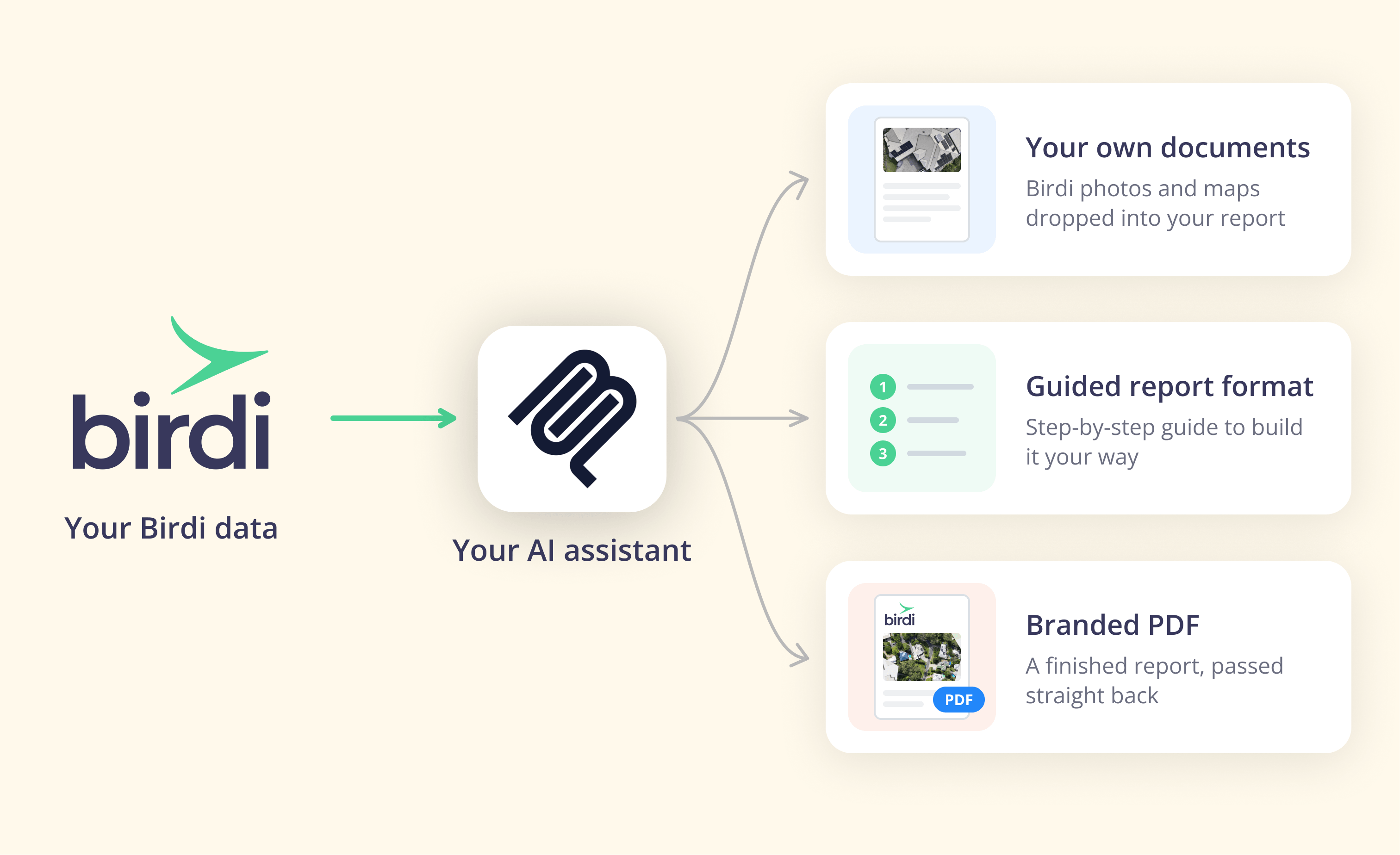
With Birdi (birdi.io), a geospatial workspace for construction and mining teams, this runs through the Birdi AI connector on any paid plan, with read-and-act access. The connector can produce the report in your own document format, or as a finished, branded PDF from Birdi when your assistant can't download images directly. Download links are secure and time-limited.
Can you put a stockpile report on a schedule?
Yes, if your AI assistant supports scheduled tasks, and only for data that is already in your mapping platform. A schedule such as "on the 1st of each month, run the volumes report for every active site" works well. However, it will report last month's survey if this month's capture hasn't been uploaded and processed yet.
So build the schedule around the capture, not the calendar. If the yard is flown in the last week of the month, schedule the report for the first working day after processing usually finishes. In addition, add a check to the template: if the newest survey is older than the reporting month, flag it rather than producing the report.
Scheduling is optional. You may prefer to ask for the report once the capture is in, and keep the one-sentence request as the routine.
Where should the volumes come from?
The volumes should come from your mapping platform's own calculation, not from the AI assistant. The assistant's job is to fetch the figures, apply the template and format the result. If an assistant estimates a volume from an image, the number is a guess, and it doesn't belong in a report that finance relies on.
The measurement itself can be trusted when the method is sound. According to Kokamägi, Türk and Liba in Agronomy Research (2020), drone photogrammetry volumes of peat and gravel stockpiles were within 4% of a terrestrial laser scan. They also found that ground control points improved accuracy, even though acceptable results were possible without them. For more on control, see ground control and volume accuracy.
In Birdi, for example, measurements and volumes come straight from Birdi in the map's own units, and the assistant reports them rather than calculating its own. Tonnage uses the materials you have saved, on Growth and Ultimate plans. To compare two surveys, you set the earlier survey's surface as the base, as the stockpile volume report guide explains.
Who does this setup suit?
If your team already flies its stockpiles and wants the monthly report to stop being rebuilt by hand, Birdi is a sensible option to try, because the report template stays yours and the numbers stay Birdi's. However, a site that needs fixed scanners measuring enclosed piles continuously will want a different kind of system.
Frequently asked questions
How often should stockpiles be surveyed?
There is no single standard. Monthly surveys suit sites where stockpile figures feed month-end accounts, while slow-moving piles may only need a quarterly or twice-yearly count. Match the frequency to how fast material moves and how often finance needs a number. Automating the report removes one reason to measure less often.
Can an AI assistant calculate stockpile volumes?
It shouldn't. A reliable volume comes from a surveyed surface, calculated by mapping software against a defined base. An AI assistant connected to that software can fetch the result and put it in a report. An assistant estimating a volume from a photo is guessing, which is not acceptable in an inventory report.
How do I get tonnage from a drone volume?
Multiply the volume by the material's bulk density, which you record per material and keep consistent from month to month. Many mapping platforms store densities as saved materials, so tonnage is calculated automatically with each volume. Check the densities against your weighbridge data periodically, because a wrong density skews every report.
What should a stockpile report include for finance?
Finance needs tonnage per material, the change since the last report, the survey date behind each figure, and a short note on method and accuracy. Put the totals on the first page. Keep pile-by-pile detail and imagery behind them, so finance can trace any number they question.
Can I schedule a stockpile report to run automatically?
Yes, if your AI assistant supports scheduled tasks. The schedule only works on data already processed in your mapping platform, so time it after the month's capture is uploaded. Add a check that flags a survey older than the reporting month, so the report never quietly repeats last month's figures.
About the author
This guide was written by the Birdi team. Birdi (birdi.io) is a geospatial AI workspace that construction and mining teams use to share drone, 360 and design data in one map, and the Birdi AI connector links it to AI assistants. We read every source on October 19, 2026, and list each one below.
Related reading
- Connecting your AI assistant: which assistants support connectors, and what each allows.
- Introducing the Birdi AI connector: what the connector does, in Birdi's release post.
- Best stockpile volume software: how the main stockpile tools compare.
- Birdi for mining and resources: how mining teams use Birdi across sites.
Sources
Research and statistics
- Kokamägi, K., Türk, K. and Liba, N. "UAV photogrammetry for volume calculations." Agronomy Research 18(3), 2020. https://doi.org/10.15159/ar.20.213
- US Geological Survey. "Mineral Commodity Summaries 2026: Stone (Crushed)." 2026. https://pubs.usgs.gov/periodicals/mcs2026/mcs2026-stone-crushed.pdf
- Gallup. "AI in the Workplace" indicator, figures as of May 2026. Checked October 19, 2026. https://www.gallup.com/699797/indicator-artificial-intelligence.aspx
Birdi
- Birdi Help Center. "How to create reports with Birdi and your AI assistant." October 2026. https://help.birdi.io/en/articles/17592031-how-to-create-reports-with-birdi-and-your-ai-assistant
- Birdi Help Center. "How to connect Birdi to your AI assistant (Claude, ChatGPT, Copilot and Gemini)." October 2026. https://help.birdi.io/en/articles/17592014-how-to-connect-birdi-to-your-ai-assistant-claude-chatgpt-copilot-and-gemini
- Birdi Help Center. "How to compare stockpile volumes between two surveys in Birdi." https://help.birdi.io/en/articles/16591511