
Why is my orthomosaic low quality (and how do I fix it)?

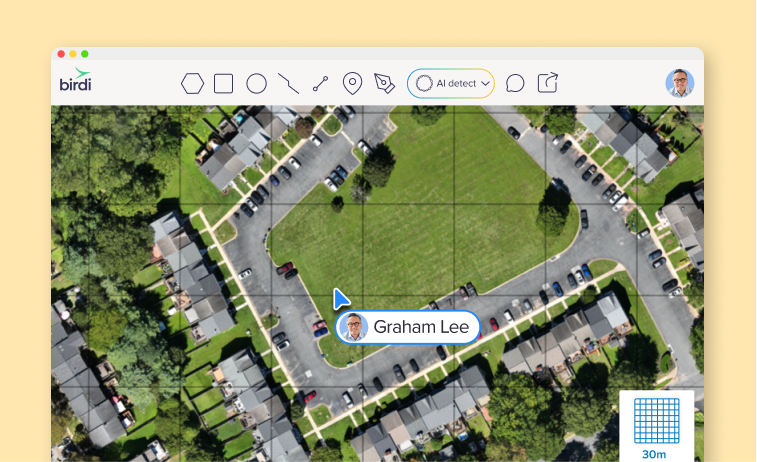
You’ve processed your drone data, opened the orthomosaic and... it’s not usable. There are gaps in the map. Sections are too dark. Edges don’t line up properly.
Clearly, something has gone wrong. In most cases, the issue isn’t the processing. It’s how the data was captured.
What is a high-quality orthomosaic?
First, let’s understand what a high-quality orthomosaic is.
A high-quality orthomosaic is a georeferenced aerial map created from overlapping drone images that are stitched together and corrected for distortion, lighting, and terrain. It should be complete, consistent in color, and accurate enough for measurement and analysis.
.png)
How do you capture a high-quality orthomosaic?
To capture a high-quality orthomosaic, use 70–80% image overlap, maintain a consistent flight altitude, fly in even lighting conditions (ideally midday), and follow a structured grid flight plan. Most low-quality orthomosaics are caused by poor data capture rather than processing issues.
What low-quality orthomosaics look like (and why)
Let’s walk through a few common examples. These come up all the time, and once you know what you’re looking for, they’re easy to diagnose and fix for your next capture.
Gaps and missing sections

If parts of your map are missing or didn’t stitch together, this is almost always an overlap issue.
What likely happened:
- Not enough front or side overlap
- Incomplete coverage of the site
- Inconsistent flight path
How to fix it:
- Set overlap to 70–80% in both directions
- Extend your flight area slightly beyond the boundary
- Use a grid flight plan instead of manual flying
Very dark or inconsistent imagery

If your map looks dark, patchy, or uneven in color, lighting is the issue.
What likely happened:
- Captured too early or late in the day
- Strong shadows across the site
- Changing light conditions during the flight
How to fix it:
- Fly closer to midday where possible
- Avoid long shadows (especially near trees or buildings)
- Keep lighting conditions consistent throughout the flight
Unstructured capture paths
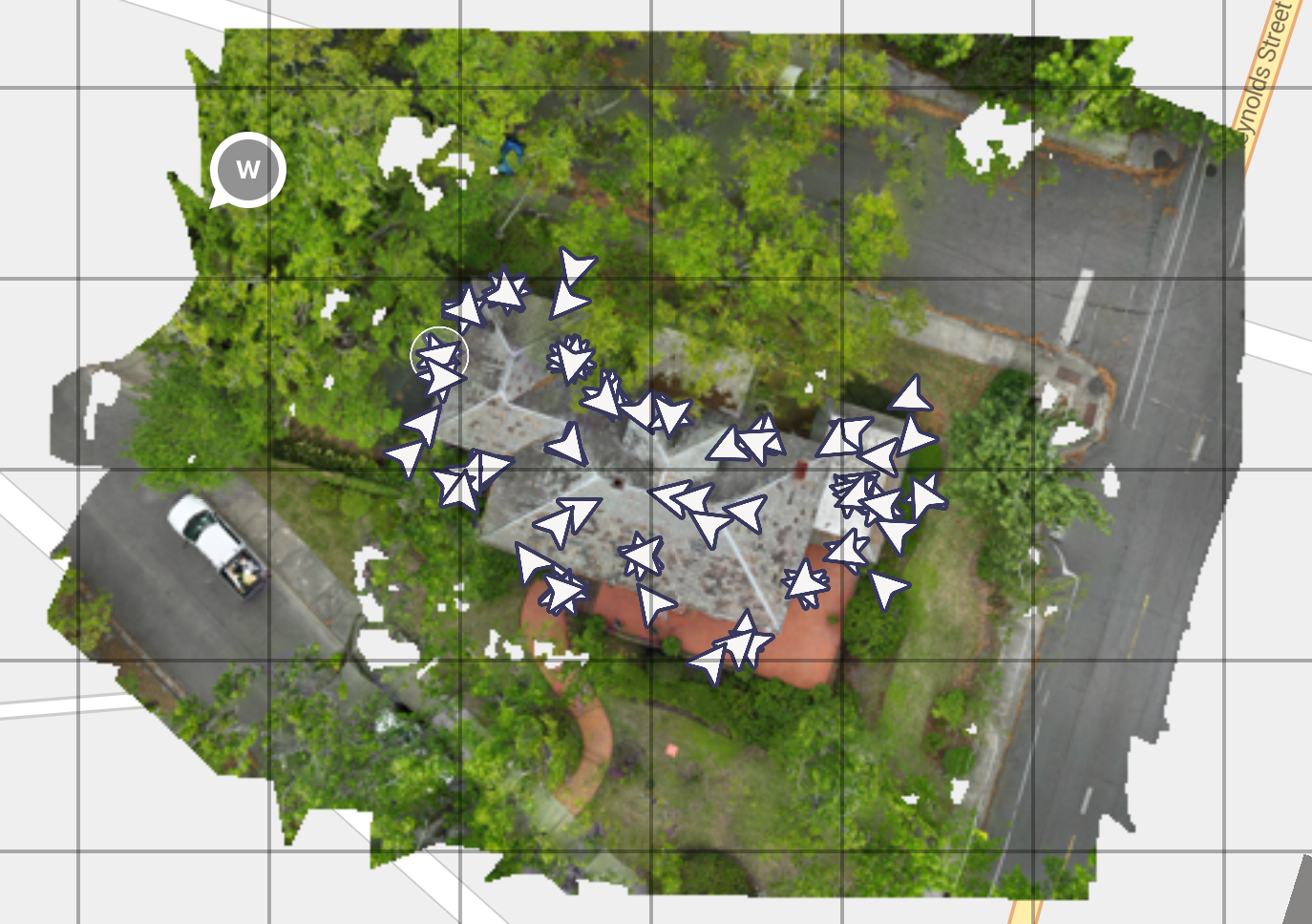
This kind of capture pattern makes it difficult for processing software to align images properly.
What likely happened:
- Manual flying instead of a planned mission
- Inconsistent spacing between images
- Irregular angles and coverage
How to fix it:
- Use a structured grid flight plan
- Keep image spacing consistent
- Let the flight app handle the path
What capture looks like for a high-quality orthomosaic
Now compare that to capture that results in high-quality orthomosaics.
Consistent grid-based capture
This is what you want to see:
- Even spacing between images
- Consistent direction and overlap
- Full coverage of the site
This kind of dataset is much easier to process and leads to cleaner outputs.
Clean, complete orthomosaic
Notice how:
- The map is complete with no gaps
- Colors are consistent across the entire area
- Features are sharp and properly aligned
This is typically the result of:
- Good overlap
- Stable altitude
- Even lighting
- Structured flight planning
The 5 things that actually make a difference in capturing a high-quality orthomosaic
Once you’ve seen the examples, the main drivers of quality become pretty clear.
1. Get your overlap right
This is the single biggest factor. You’ll generally want:
- 70–80% front overlap
- 70–80% side overlap
Too little overlap leads directly to gaps and stitching issues.
2. Keep your altitude consistent
Changes in altitude can cause:
- Distortion
- Inconsistent scale
- Uneven resolution
If your site has elevation changes, terrain-following missions can help maintain consistency.
3. Fly at the right time of day
Lighting has a direct impact on output quality.
Harsh shadows lead to:
- Dark patches
- Visible seams
- Inconsistent colors
Midday flights usually provide the most even lighting.
4. Slow down your flight
Flying too fast can introduce motion blur, especially in lower light conditions.
If your imagery looks soft or slightly unclear:
- Reduce flight speed
- Check your camera settings if available
5. Use a proper flight plan
Manual flying often leads to inconsistent results.
Grid missions help ensure:
- Even coverage
- Consistent overlap
- Repeatable outputs
What happens after capture
Once your images are uploaded, software like Birdi:
- Aligns images
- Corrects distortion
- Stitches them into a georeferenced orthomosaic
But by this stage, most of the outcome has already been determined by how the data was captured.
___
Low-quality orthomosaics are usually easy to diagnose once you know what to look for. Gaps point to overlap issues. Dark or patchy areas point to lighting. Misalignment often comes back to flight path or altitude.
If you get the capture right, everything that follows becomes much easier — processing, analysis, and sharing insights with your team.