
Can GIS software be used without GIS training?

TL;DR: Yes — but the answer depends entirely on which type of GIS software you're looking at. Traditional desktop GIS platforms like ArcGIS and QGIS require significant training to use effectively. Modern cloud-based geospatial tools are built for non-specialists and can be picked up in hours, not months. The right choice depends on what you need to do with the data.
Key takeaways
- Traditional GIS software has a steep learning curve — Esri's own guidance suggests allowing 21+ hours for a single course, and full professional proficiency takes much longer.
- According to industry research, 37% of organizations cite lack of skilled GIS workforce as a barrier to adoption — demand consistently outstrips the available talent pool.
- Modern cloud GIS platforms are designed for non-specialists, offering drag-and-drop interfaces, shareable map links, and collaborative annotation without requiring any coding or GIS methodology.
- The distinction to understand is between doing GIS analysis and consuming geospatial outputs — most business users only need the latter.
- Teams in construction, mining, utilities, and facilities management routinely use geospatial platforms today without a single qualified GIS analyst on staff.
What makes traditional GIS software hard to learn?
Traditional GIS software was designed for specialists, and the learning curve reflects that. Platforms like Esri's ArcGIS and the open-source QGIS are extraordinarily capable — they can handle complex spatial analysis, multi-layer data processing, custom scripting, and detailed cartographic output. But that power comes with significant complexity.
Esri's own training guidance suggests allowing two to four hours for individual workshops and approximately 21 hours for a structured course. That is before a user can work independently on professional projects. Full proficiency — the kind needed to manage data pipelines, run geoprocessing operations, or build custom maps from raw survey data — typically requires formal study or years of on-the-job learning.
For non-expert users, the barriers are structural, not just a matter of clicking around until things make sense. Overlaying multiple data layers often leads to information overload. Complex queries typically require users to construct SQL-style logic, which presents a genuine barrier for anyone without a technical background. According to research across the GIS software market, 37% of organizations cite a lack of skilled GIS workforce as a significant challenge to adoption — a figure that has remained stubbornly consistent because professional GIS expertise takes years to develop.
This creates a practical problem for organizations that have geospatial data — drone survey outputs, inspection imagery, asset location files — but no GIS team to process and share it. The data exists; the expertise to turn it into something actionable for the wider business often does not.
Is there a difference between GIS software and geospatial platforms?
Yes, and this distinction matters more than most people realize. "GIS software" typically refers to specialist tools built for data creation, analysis, and complex spatial processing — ArcGIS Desktop, QGIS, Global Mapper, and similar tools. These are designed for GIS analysts and require substantial technical knowledge to operate.
"Geospatial platforms" is a broader category that includes cloud-based tools designed for viewing, sharing, and collaborating on geospatial data. Some focus purely on presenting finished outputs — a GIS analyst or drone operator produces the data elsewhere, and the platform makes it accessible to everyone else. Others include built-in processing, so a user can upload raw drone imagery and generate orthomosaics, DEMs, and 3D models in a few clicks, without needing a separate specialist tool. Either way, the day-to-day experience for project managers, site supervisors, executives, and clients requires no GIS training.
According to a 2025 review of GIS trends by GIS User, open-source platforms, user-friendly interfaces, and cloud solutions are actively making geospatial tools accessible to non-experts, expanding GIS use across industries that previously lacked the technical staff to engage with spatial data at all. This shift is changing who can meaningfully use geospatial information — and how organizations think about GIS roles.
Which types of tasks require GIS training and which don't?
The clearest way to think about this is to separate producing geospatial data from consuming it.
Tasks that typically require GIS training:
- Creating and editing spatial datasets from scratch (digitizing, georeferencing, coordinate system management)
- Running geoprocessing workflows (buffers, intersects, terrain analysis, network analysis)
- Writing scripts or models to automate spatial analysis
- Managing GIS databases and data schemas
- Producing publication-quality cartographic maps with custom symbology
Tasks that most non-specialists can handle with the right platform:
- Viewing and navigating orthomosaics, DEMs, point clouds, and 3D models
- Commenting on and annotating specific locations on a map
- Measuring distances and areas using on-screen tools
- Comparing before-and-after imagery on a shared map
- Sharing a map with a stakeholder via a view-only link
- Tracking changes or progress across a site over time
- Running AI-assisted feature detection on aerial imagery (where the platform handles the analysis)
The second list covers the vast majority of what a construction manager, operations team, or client needs to do with geospatial data day-to-day. None of it requires knowing what a coordinate reference system is.
What do cloud GIS platforms do differently?
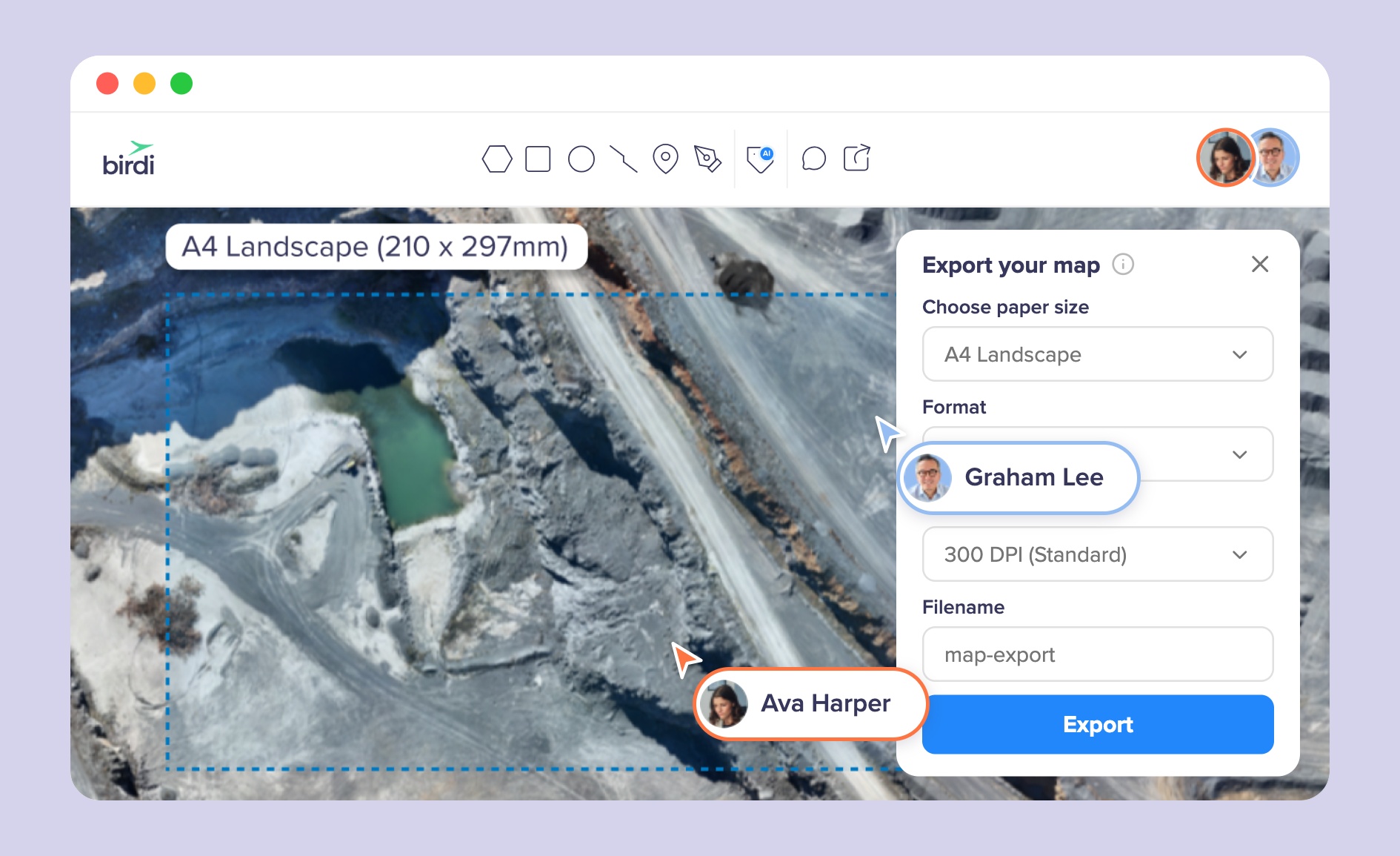
Cloud GIS platforms redesign the user experience around the outputs rather than the analytical process. Instead of asking a user to understand data layers, projections, and geoprocessing workflows, they present a finished map and give the user tools to interact with it — pan, zoom, comment, measure, export.
Several design choices make this work for non-specialists:
Browser-based access. No software to install, no license key to manage. A user opens a URL and the map is there.
Read-only sharing. A GIS analyst or drone operator publishes the map; everyone else receives a link. Viewers can interrogate the data without being able to accidentally corrupt it.
Structured collaboration. Comments are pinned to specific map locations rather than sent in a separate email thread. This keeps spatial context intact — a site supervisor can mark exactly where on the roof the fault is, rather than describing it in words.
AI-assisted analysis. Newer platforms use machine learning to detect and count features in aerial imagery automatically, removing the need for users to manually interpret raw data. This brings analytical capability to non-specialists without requiring them to understand the underlying methodology.
According to a low-code/no-code mapping analysis published by xyHt, platforms like these are increasingly popular in sectors like architecture, engineering, and construction precisely because they separate the technical work from the operational work — GIS professionals do what they are trained for, and everyone else can access the results without friction.
What can go wrong when non-specialists use GIS without any support?
Accessibility does not mean there are no failure modes. The most common problems when organizations adopt geospatial platforms without any GIS knowledge in-house are data quality issues, not platform usability issues.
If the underlying files — orthomosaics, point clouds, shapefiles — are produced incorrectly or with the wrong settings, no amount of clean interface will fix the output. A drone survey with poor ground control points will produce an inaccurate orthomosaic that looks fine on screen but cannot be trusted for volume calculations or planning decisions.
Similarly, organizations that start uploading files without a consistent file structure or naming convention quickly end up with maps that are difficult to navigate and compare over time.
The practical answer is not to hire a full-time GIS analyst for every team. It is to ensure that whoever is producing the source data — the surveyor, the drone pilot, the processing service — knows what they are doing, and that the platform receiving the data has enough structure built in to keep it organized.
How should you choose the right type of geospatial tool for your team?
Start by being clear about what your team actually needs to do with the data, not what the most powerful tool in the category can theoretically do.
If your team produces complex spatial datasets, needs to run geoprocessing analysis, or delivers GIS outputs to clients as a core service, you likely need a proper GIS platform and qualified staff to run it. ArcGIS and QGIS remain the industry standard for this work.
If your team's primary need is to view, share, annotate, and discuss geospatial outputs — drone surveys, inspection imagery, site progress maps — without deep analysis, a cloud-based geospatial platform is the better fit. The decision criteria are: ease of sharing with non-technical stakeholders, collaboration features, processing options if you need to go from raw drone imagery to finished outputs, and how the platform handles access permissions for different team members and clients.
For teams in construction, mining, utilities, and facilities management that need to bring geospatial data into standard project workflows without employing GIS specialists, Birdi is designed for exactly this situation. Users can upload raw drone imagery and process it into 2D and 3D outputs — orthomosaics, DEMs, point clouds, textured meshes — in a few clicks, then share and collaborate on the results across the team without anyone needing GIS expertise. It suits organizations that want to go from drone flight to shared, actionable map without a specialist in the loop; it is not a replacement for a full GIS platform if deep spatial analysis is a core part of the work.
Frequently asked questions
Can I use GIS software if I have no technical background?
It depends on the tool. Traditional GIS software like ArcGIS and QGIS requires significant technical training — typically 21 or more hours of structured learning before a user can work independently. Cloud-based geospatial platforms designed for non-specialists can be picked up in a day or two, as they are built around viewing, sharing, and annotating maps rather than creating or analyzing spatial data from scratch.
What is the difference between GIS and a mapping platform?
GIS (Geographic Information System) software is used to create, manage, and analyze spatial data — it is a specialist tool requiring technical expertise. A mapping or geospatial platform is typically designed to present and share the outputs of GIS work in an accessible format. Most business users only need the latter: something that shows them where things are and lets them comment, measure, and share with colleagues.
How long does it take to learn GIS software?
Traditional GIS platforms require a substantial time investment. Esri's training guidance suggests allowing 21 hours for an introductory course, and professional proficiency typically requires years of practice. Modern cloud geospatial platforms, by contrast, are designed for onboarding in hours — they prioritize accessibility for non-specialists over analytical depth.
Do I need a GIS qualification to use drone survey data?
No. Drone survey outputs — orthomosaics, DEMs, point clouds, 3D models — can be viewed, shared, and annotated using cloud geospatial platforms without any GIS qualification. You do need qualified or experienced people to capture and process the drone data correctly in the first place; once the processed files exist, most of what a business user needs to do with them requires no GIS training.
What industries use geospatial data without in-house GIS teams?
Construction, mining, utilities, power distribution, facilities management, and insurance all regularly use geospatial data — particularly drone survey outputs and inspection imagery — without full-time GIS teams. These organizations typically use cloud geospatial platforms that are designed to make spatial data accessible to project managers, site supervisors, and clients who have no GIS background.
Sources
- Dataintelo. "GIS Software Market Report | Global Forecast From 2025 To 2033." Dataintelo, 2024. https://dataintelo.com/report/global-gis-software-market
- GIS User. "The Future of GIS in 2025: Key Trends and Innovations." GIS User Technology News, June 2025. https://gisuser.com/2025/06/the-future-of-gis-in-2025-key-trends-and-innovations/
- Esri. "Training Catalog." Esri, 2025. https://www.esri.com/training/catalog/search/
- Atlas. "QGIS vs. ArcGIS: Complete Comparison for 2026." Atlas, 2026. https://atlas.co/blog/qgis-vs-arc-gis-complete-comparison-for-2026/
- xyHt. "Low-Code/No-Code Mapping." xyHt, 2024. https://www.xyht.com/spatial-itgis/low-code-no-code-mapping/
- Arxiv / Barrier-free GeoQA. "Towards a Barrier-free GeoQA Portal: Natural Language Interaction with Geospatial Data Using Multi-Agent LLMs and Semantic Search." 2025. https://arxiv.org/pdf/2503.14251